Google Cloud – Professional Cloud Architect Certification Learning Path
🔄 Last Updated: June 2026 — This post has been updated to reflect the new PCA exam format (v6.1, released October 30, 2025), new case studies, AI/ML content additions, service rebrandings, and the transition to Pearson as exam delivery provider (March 2026).
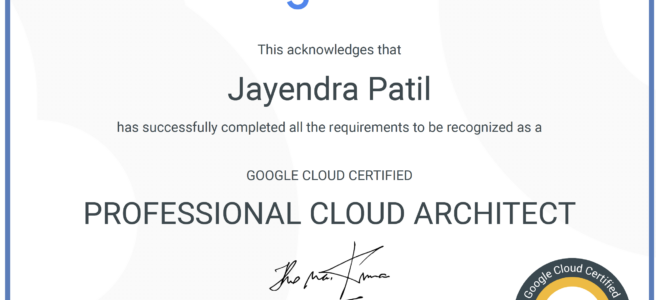
Re-certified !!!! Google Cloud – Professional Cloud Architect certification exam is one of the toughest exam I have appeared for. Even though it was recertification, the preparation level was same as the first one. The gamut of services and concepts it tests your knowledge on is really vast.
Google Cloud – Professional Cloud Architect Certification Summary
- Has 50 questions to be answered in 2 hours.
- Registration fee is $200 (plus tax where applicable).
- Covers wide range of Google Cloud services and what they actually do.
- includes Compute, Storage, Network, Data services, and now AI/ML services (Vertex AI, Gemini)
- The exam was significantly updated in October 2025 (v6.1) to include the Google Cloud Well-Architected Framework and AI/ML integration topics.
- Questions sometimes tests your logical thinking rather than any concept regarding Google Cloud.
- Hands-on is a MUST, if you have not worked on GCP before make sure you do lots of labs else you would be absolute clueless for some of the questions and commands
- Make sure you cover the case studies before hand. The exam includes ~15 questions based on case studies and it can really be a savior for you in the exams.
- Be sure that NO Online Course or Practice tests is going to cover all. Hands-on or practical knowledge is MUST.
- Exam Delivery: As of March 2026, exams are delivered through Pearson VUE (previously Kryterion). Exams can be taken onsite at test centers or remotely.
Google Cloud – Professional Cloud Architect Exam Updates (October 2025 – v6.1)
- AI Content Expansion: Two new sections (2.4, 2.5) focused on Vertex AI, including AutoML, custom training, and model deployment.
- Well-Architected Framework: Now required knowledge; questions focus on operational excellence, security, reliability, cost optimization, and performance pillars.
- New Case Studies: EHR Healthcare retained; three new scenarios added — Altostrat Media, Cymbal Retail, and KnightMotives Automotive (all with AI integration).
- ~30% new topics compared to the previous version; some older topics have been deprioritized.
- Service Rebrandings: Be aware of Dataproc → Managed Service for Apache Spark, Cloud Functions → Cloud Run functions, Container Registry → Artifact Registry.
Google Cloud – Professional Cloud Architect Certification Resources
- Official Google Cloud Certified Professional Cloud Architect Study Guide
- Online Courses
- Udemy GCP Professional Cloud Architect: Google Cloud Certification
- Coursera – Preparing for the Google Cloud Professional Cloud Architect Exam which is a good overview course but not detailed.
- Coursera – Architecting with Google Cloud Platform
- Pluralsight (formerly A Cloud Guru / Linux Academy) – Google Cloud Certified – Professional Cloud Architect
- Whizlabs – Training videos for Google Cloud Certified Professional Cloud Architect
- Practice Tests
- Use Google Cloud Free Tier and Google Cloud Skills Boost (formerly Qwiklabs) as much as possible.
Google Cloud – Professional Cloud Architect Certification Topics
General Services
- Cloud Billing
- understand how Cloud Billing works. Monthly vs Threshold and which has priority
- Budgets can be set to alert for projects
- how to change a billing account for a project and what roles you need. Hint – Project Owner and Billing Administrator for the billing account
- Cloud Billing can be exported to BigQuery and Cloud Storage
- Resource Manager
- Understand Resource Manager the hierarchy Organization -> Folders -> Projects -> Resources
- IAM Policy inheritance is transitive and resources inherit the policies of all of their parent resources.
- Effective policy for a resource is the union of the policy set on that resource and the policies inherited from higher up in the hierarchy.
Identity Services
- Cloud Identity and Access Management
- Identify and Access Management – IAM provides administrators the ability to manage cloud resources centrally by controlling who can take what action on specific resources.
- Understand how IAM works and how rules apply esp. the hierarchy from Organization -> Folder -> Project -> Resources
- Understand the difference between Basic (formerly Primitive), Pre-defined and Custom roles and their use cases
- IAM Policy inheritance is transitive and resources inherit the policies of all of their parent resources.
- Effective policy for a resource is the union of the policy set on that resource and the policies inherited from higher up in the hierarchy.
- Basically Permissions -> Roles -> (IAM Policy) -> Members (Principals)
- Know how to use service accounts with applications
- Understand IAM Conditions for fine-grained, attribute-based access control
- Understand IAM Deny Policies to set guardrails on access
- Cloud Identity
- Cloud Identity provides IDaaS (Identity as a Service) and provides single sign-on functionality and federation with external identity provides like Active Directory.
- Cloud Identity supports federating with Active Directory using GCDS to implement the synchronization
Compute Services
-
- Make sure you know all the compute services Google Compute Engine, Google App Engine, Google Kubernetes Engine, and Cloud Run. You need to be sure to know the pros and cons and the use cases that you should use them.
- Google Compute Engine
- Google Compute Engine is the best IaaS option for compute and provides fine grained control
- Know how to create a Compute Engine instance, connect to it using Cloud shell or ssh keys
- Difference between backups and images and how to create instances from the same.
- Understand Compute Engine Storage Options. Disk throughput and IOPS depends on type and size.
- Understand Compute Engine Snapshots
- Instance templates with managed instance groups provide scalability and high availability
- Instance template cannot be edited, create a new one and attach.
- Difference between managed vs unmanaged instance groups and auto-healing feature
- Managed instance groups are covered heavily the exam, as they provide the key auto-scaling capability. Hint: you need to create an Instance template and associate it with Instance group
- Understand how migration or traffic splitting with Managed instance groups works Hint – rolling updates & deployments
- Spot VMs (previously known as Preemptible VMs) and their use cases. HINT – can be terminated any time when Compute Engine needs the resources. Spot VMs no longer have the 24-hour maximum lifetime limitation that Preemptible VMs had.
- Upgrade an instance without downtime using Live Migration
- Managing access using OS Login or project and instance metadata
- Prevent accidental deletion using deletion protection flag
- Understand the pricing and discounts model Hint – Sustained (automatic up to 30%) vs Committed (1 to 3 yrs) discounts.
- In case of any issues or errors, how to debug the same
- Google App Engine
- Google App Engine is mainly the best option for PaaS with platforms supported and features provided.
- Deploy an application with App Engine and understand how versioning and rolling deployments can be done
- Understand how to keep auto scaling and traffic splitting and migration.
- Know App Engine is a regional resource and understand the steps to migrate or deploy application to different region and project.
- Know the difference between App Engine Flexible vs Standard
- Google Kubernetes Engine
- Google Kubernetes Engine, powered by the open source container scheduler Kubernetes, enables you to run containers on Google Cloud Platform.
- Kubernetes Engine takes care of provisioning and maintaining the underlying virtual machine cluster, scaling your application, and operational logistics such as logging, monitoring, and cluster health management.
- A node pool is a subset of machines that all have the same configuration, including machine type (CPU and memory) authorization scopes. Node pools represent a subset of nodes within a cluster; a container cluster can contain one or more node pools. Hint : For adding new machine types, need to add a new node pool as existing one cannot be edited
- Be sure to Create a Kubernetes Cluster and configure it to host an application
- Understand how to make the cluster auto repairable and upgradable. Hint – Node auto-upgrades and auto-repairing feature
- Very important to understand where to use gcloud commands (to create a cluster) and kubectl commands (manage the cluster components)
- Very important to understand how to increase cluster size and enable autoscaling for the cluster
- Know how to manage secrets like database passwords
- Understand GKE Autopilot mode — a fully managed mode where Google manages the nodes, scaling, and security
- Cloud Run
- Cloud Run is a fully managed serverless platform for deploying and running containerized applications.
- Supports any language or library as long as it can be containerized.
- Scales automatically from zero to many instances and back to zero.
- Supports both services (request-driven) and jobs (task-based workloads).
- Cloud Run is now the unified serverless platform — Cloud Functions has been rebranded as Cloud Run functions.
- Cloud Run functions (formerly Cloud Functions)
- is a lightweight, event-based, asynchronous compute solution that allows you to create small, single-purpose functions that respond to cloud events without the need to manage a server or a runtime environment.
- Remember that Cloud Run functions is serverless and scales from zero to scale and back to zero as the demand changes.
- 2nd gen functions (recommended for new projects) are built on Cloud Run infrastructure and offer improved performance, concurrency, longer request processing (up to 60 minutes), and Eventarc integration.
Network Services
- Virtual Private Cloud
- Understand Virtual Private Cloud (VPC), subnets and host applications within them Hint VPC spans across region
- Understand how Firewall rules works and how they are configured. Hint – Focus on Network Tags. Also, there are 2 implicit firewall rules – default ingress deny and default egress allow
- Understand VPC Peering and Shared VPC
- Understand the concept internal and external IPs and difference between static and ephemeral IPs
- Primary IP range of an existing subnet can be expanded by modifying its subnet mask, setting the prefix length to a smaller number.
- Understand Private Google Access and Private Service Connect use cases
- On-premises connectivity
- Cloud VPN and Cloud Interconnect are 2 components which help you connect to on-premises data center.
- Understand HA VPN (recommended) vs Classic VPN. Note: Classic VPN dynamic routing via BGP is deprecated as of August 2025 — use HA VPN for BGP.
- Understand what are the requirements to setup Cloud VPN.
- Cloud Router provides dynamic routing using BGP
- Know Interconnect as the reliable high speed, low latency and dedicated bandwidth options (Dedicated Interconnect and Partner Interconnect).
- Cross-Cloud Interconnect — provides dedicated, high-bandwidth connectivity between Google Cloud and other cloud providers (e.g., AWS, Azure) without traversing the public internet.
- Network Connectivity Center — a centralized hub for managing hybrid and multi-cloud network connectivity, connecting on-premises, Google Cloud, and other cloud networks through spokes.
- Cloud Load Balancing (GCLB)
- Google Cloud Load Balancing provides scaling, high availability, and traffic management for your internet-facing and private applications.
- Understand Google Load Balancing options and their use cases esp. which is global and internal and what protocols they support.
Storage Services
- Understand each Storage Options and use cases.
- Persistent disks
- attached to the Compute Engines, provide fast access however are limited in scalability, availability and scope.
- Remember performance depends on the size of the disk
- Cloud Storage
- Cloud Storage is cost-effective object storage for unstructured data.
- very important to know the different storage classes and their use cases: Standard (frequent access, replaces the legacy Regional/Multi-Regional classes), Nearline (30-day minimum, monthly access), Coldline (90-day minimum, quarterly access), and Archive (365-day minimum, yearly access)
- Understand life cycle management. HINT – Changes are in accordance to object creation date
- Understand various data encryption techniques
- Understand Signed URL to give temporary access and the users do not need to be GCP users
- Understand access control and permissions – IAM vs ACLs (fine grained control). Note: Uniform bucket-level access is now the recommended default.
- Understand best practices esp. uploading and downloading the data. HINT using parallel composite uploads
- Relational Databases
- Know Cloud SQL, Cloud Spanner, and AlloyDB for PostgreSQL
- Cloud SQL
- Cloud SQL is a fully-managed service that provides MySQL, PostgreSQL and MS SQL Server
- Supports up to 64TB of storage.
- Difference between Failover and Read replicas. Failover provides High Availability and almost zero downtime while Read replicas provide scalability. Cross region Read Replicas are supported
- Perform Point-In-Time recovery. Hint – requires binary logging and backups
- Cloud SQL Enterprise Plus edition provides near-zero downtime maintenance and advanced HA features
- Cloud Spanner
- is a fully managed, mission-critical relational database service.
- provides a scalable online transaction processing (OLTP) database with high availability and strong consistency at global scale.
- globally distributed and can scale horizontally.
- not a direct replacement for Cloud SQL and would need migration
- AlloyDB for PostgreSQL
- Fully managed, PostgreSQL-compatible database designed for demanding enterprise workloads.
- Up to 4x faster for transactional workloads and up to 100x faster for analytical queries compared to standard PostgreSQL.
- Provides automatic storage scaling, integrated AI/ML capabilities with built-in Vertex AI integration.
- Best for enterprise PostgreSQL workloads that need high performance and availability.
- NoSQL
- Know Firestore and Bigtable
- Firestore (successor to Cloud Datastore)
- Firestore operates in two modes: Native mode (real-time, mobile/web apps) and Datastore mode (server-side, backward compatible with legacy Datastore)
- Provides document database for web and mobile applications. Not for analytics.
- Understand Firestore indexes and how to update indexes
- Can be configured Multi-regional and regional
- Bigtable
- provides column database suitable for both low-latency single-point lookups and precalculated analytics
- understand Bigtable is suitable for high-throughput workloads like IoT, time-series, and analytics
- Data Warehousing
- BigQuery
- provides scalable, fully managed enterprise data warehouse (EDW) with SQL and fast ad-hoc queries.
- Remember it is most suitable for historical analysis.
- Now includes BigQuery ML for running ML models directly in SQL, and BigQuery Studio for unified analytics.
- BigQuery
- Memorystore and Firebase are now more commonly tested; understand Memorystore for Redis/Memcached caching use cases.
Data Services
- Although there is a different certification for Data Engineer, the Cloud Architect does cover data services. Data services are also part of the use cases so be sure to know about them
- Know the Big Data stack and understand which service fits the different layers of ingest, store, process, analytics, use
- Key Services which need to be mainly covered are –
- Cloud Storage as the medium to store data as data lake
- Pub/Sub
- as the messaging service to capture real time data esp. IoT
- is designed to provide reliable, many-to-many, asynchronous messaging between applications esp. real time IoT data capture
- Cloud Storage can generate notifications via Pub/Sub
- Dataflow to process, transform, transfer data and the key service to integrate store and analytics. Now supports ML inference directly in pipelines (RunInference) and TPU integration.
- BigQuery for storage and analytics. Remember BigQuery provides the same cost-effective option for storage as Cloud Storage
- Managed Service for Apache Spark (formerly Cloud Dataproc) to handle existing Hadoop/Spark jobs. Hint – Use it to replace existing hadoop infra. Now includes serverless Spark option (no cluster management needed).
- Dataform for managing SQL-based data transformation pipelines in BigQuery (replaces the need for Cloud Dataprep in many scenarios)
- Know standard patterns
Pub/Sub->Dataflow->BigQuery
AI and Machine Learning Services (NEW for PCA v6.1)
- The updated PCA exam includes significant AI/ML content. Key services to know:
- Vertex AI
- Google Cloud’s unified AI/ML platform for building, deploying, and scaling ML models
- Understand AutoML (no-code/low-code model training) vs Custom Training (bring your own code)
- Understand Vertex AI Workbench (managed notebooks, replacement for Cloud Datalab)
- Model deployment to endpoints with online/batch prediction
- Vertex AI Feature Store for managing ML features
- Vertex Explainable AI for model interpretability
- Gemini
- Google’s multimodal AI model family, available through Vertex AI
- Understand use cases for generative AI in architecture (content generation, code assistance, data analysis)
- Pre-trained APIs
- Vision AI, Natural Language AI, Translation AI, Speech-to-Text, Text-to-Speech
- Know when to use pre-trained APIs vs AutoML vs custom training
Monitoring
- Google Cloud Monitoring (formerly Stackdriver)
- provides everything from monitoring, alert, error reporting, metrics, diagnostics, debugging, trace.
- remember audits are mainly checking Cloud Audit Logs
- Google Cloud Logging (formerly Stackdriver Logging)
- Understand log routing, sinks, and log-based metrics
- Know log retention periods and where to export for long-term storage
- Cloud Trace — distributed tracing for latency analysis
- Error Reporting — aggregates and displays errors from cloud services
DevOps services
- Infrastructure as Code
- Infrastructure Manager (Terraform-based) — Google Cloud’s recommended IaC service
- Terraform — the industry standard for multi-cloud IaC, fully supported on Google Cloud
Deployment Manager— Deprecated (support discontinued March 31, 2026). Migrate to Infrastructure Manager or Terraform.
- Source Code Management
- Secure Source Manager — regionally deployed, managed source code repository on Google Cloud
Cloud Source Repositories— End of sale since June 2024; not available to new customers. Use Secure Source Manager, GitHub, or GitLab.
- Artifact Registry
- is the universal package manager for all build artifacts and dependencies (Docker images, language packages, OS packages).
Container Registry— Shut down March 18, 2025. All container image storage has migrated to Artifact Registry.
- Cloud Build
- is a service that executes your builds on Google Cloud Platform infrastructure.
- Supports CI/CD pipelines with triggers from source repositories.
- Cloud Deploy
- Managed continuous delivery service for deploying to GKE, Cloud Run, and Anthos.
- MarketPlace (Cloud Launcher)
- provides a way to launch common software packages e.g. Jenkins or WordPress and stacks on Google Compute Engine with just a few clicks like a prepackaged solution.
- can help minimize deployment time and can be used without any knowledge about the product
Security Services
- Web Security Scanner (formerly Cloud Security Scanner)
- is a web application security scanner that enables developers to easily check for a subset of common web application vulnerabilities in websites built on App Engine, GKE, and Compute Engine.
- Cloud DLP (Sensitive Data Protection)
- to handle sensitive data esp. redaction of PII data. Rebranded as Sensitive Data Protection.
- Security Command Center (SCC)
- Centralized security and risk management platform for Google Cloud resources.
- Provides asset discovery, threat detection, and compliance monitoring.
- Cloud Armor
- DDoS protection and WAF (Web Application Firewall) for applications behind Load Balancers.
- VPC Service Controls
- Creates security perimeters around Google Cloud resources to prevent data exfiltration.
- PCI-DSS compliant
- GCP services are PCI-DSS compliant, however you need to make sure for the applications and hosting to be inline with PCI-DSS requirements
- Same concept as PCI-DSS applies to GDPR as well
Google Cloud Well-Architected Framework (NEW for PCA v6.1)
- The Well-Architected Framework is now required knowledge for the PCA exam.
- Understand the six pillars:
- Operational Excellence — monitoring, incident management, deployment practices
- Security, Privacy, and Compliance — identity, data protection, network security
- Reliability — high availability, disaster recovery, fault tolerance
- Cost Optimization — resource efficiency, committed use discounts, rightsizing
- Performance Optimization — scaling, caching, optimizing resources
- Sustainability — efficient use of resources, carbon-aware workloads
- Includes an AI and ML perspective covering design principles for AI workloads on Google Cloud.
Other Services
- Know various data transfer options
- Storage Transfer Service
- allows import of large amounts of online data into Google Cloud Storage, quickly and cost-effectively.
- Online data is the key here as it supports AWS S3, Azure Blob Storage, HTTP/HTTPS and other GCS buckets.
- for on-premises data you can use the Storage Transfer Service agent or gsutil command
- Transfer Appliance
- to transfer large amounts of data quickly and cost-effectively into Google Cloud Platform.
- Check for the data size and it would be always compared with Storage Transfer Service or gsutil commands.
Case Studies
- The PCA exam was updated in October 2025 with new case studies. The current case studies are:
- EHR Healthcare — electronic health record provider migrating to Google Cloud for scalability and disaster recovery
- Altostrat Media — media company with AI integration requirements
- Cymbal Retail — online retailer modernizing operations with conversational commerce and AI
- KnightMotives Automotive — automotive company with AI-driven use cases
- All new case studies emphasize AI/ML integration in architecture decisions.
- Note: The previous case studies (Mountkirk Games, Dress4Win, TerramEarth) are no longer part of the exam.