S3 Data Consistency provides strong read-after-write consistency for PUT and DELETE requests of objects in the S3 bucket in all AWS Regions
This behavior applies to both writes to new objects as well as PUT requests that overwrite existing objects and DELETE requests.
Read operations on S3 Select, S3 ACLs, S3 Object Tags, and object metadata (for example, the HEAD object) are strongly consistent.
Updates to a single key are atomic. for e.g., if you PUT to an existing key, a subsequent read might return the old data or the updated data, but it will never write corrupted or partial data.
S3 achieves high availability by replicating data across multiple servers within Amazon’s data centers. If a PUT request is successful, the data is safely stored. Any read (GET or LIST request) that is initiated following the receipt of a successful PUT response will return the data written by the PUT request.
S3 Data Consistency behavior examples
A process writes a new object to S3 and immediately lists keys within its bucket. The new object appears in the list.
A process replaces an existing object and immediately tries to read it. S3 returns the new data.
A process deletes an existing object and immediately tries to read it. S3 does not return any data because the object has been deleted.
A process deletes an existing object and immediately lists keys within its bucket. The object does not appear in the listing.
S3 does not currently support object locking for concurrent writes. for e.g. If two PUT requests are simultaneously made to the same key, the request with the latest timestamp wins. If this is an issue, you will need to build an object-locking mechanism into your application.
Updates are key-based; there is no way to make atomic updates across keys. for e.g, an update of one key cannot be dependent on the update of another key unless you design this functionality into the application.
S3 Object Lock is different as it allows to store objects using a write-once-read-many (WORM) model, which prevents an object from being deleted or overwritten for a fixed amount of time or indefinitely.
S3 provides strong Read-after-Write consistency for PUTS of new objects
For a PUT request, S3 synchronously stores data across multiple facilities before returning SUCCESS
A process writes a new object to S3 and will be immediately able to read the Object i.e. PUT 200 -> GET 200
A process writes a new object to S3 and immediately lists keys within its bucket. Until the change is fully propagated, the object might not appear in the list.
However, if a HEAD or GET request to a key name is made before the object is created, then create the object shortly after that, a subsequent GET might not return the object due to eventual consistency. i.e. GET 404 -> PUT 200 -> GET 404
S3 provides Eventual Consistency for overwrite PUTS and DELETES in all regions.
For updates and deletes to Objects, the changes are eventually reflected and not available immediately i.e. PUT 200 -> PUT 200 -> GET 200 (might be older version) OR DELETE 200 -> GET 200
if a process replaces an existing object and immediately attempts to read it, S3 might return the prior data till the change is fully propagated
if a process deletes an existing object and immediately attempts to read it, S3 might return the deleted data until the deletion is fully propagated
if a process deletes an existing object and immediately lists keys within its bucket. Until the deletion is fully propagated, S3 might list the deleted object.
AWS Certification Exam Practice Questions
Questions are collected from Internet and the answers are marked as per my knowledge and understanding (which might differ with yours).
AWS services are updated everyday and both the answers and questions might be outdated soon, so research accordingly.
AWS exam questions are not updated to keep up the pace with AWS updates, so even if the underlying feature has changed the question might not be updated
Open to further feedback, discussion and correction.
Which of the following are valid statements about Amazon S3? Choose 2 answers
S3 provides read-after-write consistency for any type of PUT or DELETE. (S3 now provides strong read-after-write consistency)
Consistency is not guaranteed for any type of PUT or DELETE.
A successful response to a PUT request only occurs when a complete object is saved
Partially saved objects are immediately readable with a GET after an overwrite PUT.
S3 provides eventual consistency for overwrite PUTS and DELETES
A customer is leveraging Amazon Simple Storage Service in eu-west-1 to store static content for web-based property. The customer is storing objects using the Standard Storage class. Where are the customers’ objects replicated?
Single facility in eu-west-1 and a single facility in eu-central-1
Single facility in eu-west-1 and a single facility in us-east-1
Multiple facilities in eu-west-1
A single facility in eu-west-1
A user has an S3 object in the US Standard region with the content “color=red”. The user updates the object with the content as “color=”white”. If the user tries to read the value 1 minute after it was uploaded, what will S3 return?
It will return “color=white” (strong read-after-write consistency)
It will return “color=red”
It will return an error saying that the object was not found
It may return either “color=red” or “color=white” i.e. any of the value (Eventual Consistency)
Amazon Simple Storage Service – S3 is a simple key, value object store designed for the Internet
provides unlimited storage space and works on the pay-as-you-use model. Service rates get cheaper as the usage volume increases
offers an extremely durable, highly available, and infinitely scalable data storage infrastructure at very low costs.
is Object-level storage (not Block level storage like EBS volumes) and cannot be used to host OS or dynamic websites (however, S3 can host static websites).
S3 resources e.g. buckets and objects are private by default.
As of March 2026, S3 stores more than 500 trillion objects, serves more than 200 million requests per second globally across hundreds of exabytes of data.
S3 provides strong read-after-write consistency for all operations (PUT, GET, LIST, DELETE, HEAD) automatically, at no additional cost, in all AWS Regions.
Starting January 5, 2023, all new objects are automatically encrypted with SSE-S3 (server-side encryption with Amazon S3 managed keys) by default at no additional cost.
Starting April 2023, all new S3 buckets have S3 Block Public Access enabled and ACLs disabled by default.
Starting April 2026, SSE-C (server-side encryption with customer-provided keys) is disabled by default on all new S3 general purpose buckets.
S3 Bucket Types
Amazon S3 offers multiple bucket types designed for different use cases:
General Purpose Buckets – Standard buckets for most workloads, storing objects across multiple Availability Zones for high durability
Directory Buckets – Used with S3 Express One Zone storage class, stored in a single Availability Zone for lowest latency access
Table Buckets – Store Apache Iceberg tables for analytics workloads with built-in table maintenance and optimization
Vector Buckets – Purpose-built for storing and querying vector embeddings for AI/ML applications
S3 Buckets & Objects
S3 Buckets
A bucket is a container for objects stored in S3
Buckets help organize the S3 namespace.
A bucket is owned by the AWS account that creates it and helps identify the account responsible for storage and data transfer charges.
Bucket names are globally unique, regardless of the AWS region in which it was created and the namespace is shared by all AWS accounts
Even though S3 is a global service, buckets are created within a region specified during the creation of the bucket.
Every object is contained in a bucket
There is no limit to the number of objects that can be stored in a bucket and no difference in performance whether a single bucket or multiple buckets are used to store all the objects
The S3 data model is a flat structure i.e. there are no hierarchies or folders within the buckets. However, logical hierarchy can be inferred using the key name prefix e.g. Folder1/Object1
Restrictions
10,000 general purpose buckets (default quota) per AWS account, with the ability to request up to 1 million buckets. (Updated Nov 2024: increased from the previous limit of 100)
Bucket names should be globally unique and DNS compliant
Bucket ownership is not transferable
Buckets cannot be nested and cannot have a bucket within another bucket
Bucket name and region cannot be changed, once created
Empty or a non-empty buckets can be deleted
S3 allows retrieval of 1000 objects and provides pagination support
Objects
Objects are the fundamental entities stored in a bucket
An object is uniquely identified within a bucket by a key name and version ID (if S3 versioning is enabled on the bucket)
Objects consist of object data, metadata, and others
Key is the object name and a unique identifier for an object
Value is actual content stored
Metadata is the data about the data and is a set of name-value pairs that describe the object e.g. content-type, size, last modified. Custom metadata can also be specified at the time the object is stored.
Version ID is the version id for the object and in combination with the key helps to uniquely identify an object within a bucket
Subresources help provide additional information for an object
Access Control Information helps control access to the objects
S3 objects allow two kinds of metadata
System metadata
Metadata such as the Last-Modified date is controlled by the system. Only S3 can modify the value.
System metadata that the user can control, e.g., the storage class, and encryption configured for the object.
User-defined metadata
User-defined metadata can be assigned during uploading the object or after the object has been uploaded.
User-defined metadata is stored with the object and is returned when an object is downloaded
S3 does not process user-defined metadata.
User-defined metadata must begin with the prefix “x-amz-meta“, otherwise S3 will not set the key-value pair as you define it
Object metadata cannot be modified after the object is uploaded and it can be only modified by performing copy operation and setting the metadata
Objects belonging to a bucket that reside in a specific AWS region never leave that region, unless explicitly copied using Cross Region Replication
Each object can be up to 5 TB in size
An object can be retrieved as a whole or a partially
With Versioning enabled, current as well as previous versions of an object can be retrieved
S3 Bucket & Object Operations
Listing
S3 allows the listing of all the keys within a bucket
A single listing request would return a max of 1000 object keys with pagination support using an indicator in the response to indicate if the response was truncated
Keys within a bucket can be listed using Prefix and Delimiter.
Prefix limits result in only those keys (kind of filtering) that begin with the specified prefix, and the delimiter causes the list to roll up all keys that share a common prefix into a single summary list result.
Retrieval
An object can be retrieved as a whole
An object can be retrieved in parts or partially (a specific range of bytes) by using the Range HTTP header.
Range HTTP header is helpful
if only a partial object is needed for e.g. multiple files were uploaded as a single archive
for fault-tolerant downloads where the network connectivity is poor
Objects can also be downloaded by sharing Pre-Signed URLs
Metadata of the object is returned in the response headers
Object Uploads
Single Operation – Objects of size 5GB can be uploaded in a single PUT operation
Multipart upload – can be used for objects of size > 5GB and supports the max size of 5TB. It is recommended for objects above size 100MB.
Pre-Signed URLs can also be used and shared for uploading objects
Objects if uploaded successfully can be verified if the request received a successful response. Additionally, returned ETag can be compared to the calculated MD5 value of the upload object
Conditional Writes
S3 supports conditional writes using HTTP conditional headers to prevent unintended overwrites (Launched August 2024)
If-None-Match – prevents overwrites of existing objects by checking that no object with the same key exists; useful for write-once patterns
If-Match – ensures an object has not been modified since last read by comparing ETags; useful for read-modify-write patterns (Added November 2024)
Conditional writes can be enforced via bucket policies using s3:if-none-match and s3:if-match condition keys
Supported on PutObject, CompleteMultipartUpload, and CopyObject operations
Helps coordinate simultaneous writes from multiple writers without external locking mechanisms
Copying Objects
Copying of objects up to 5GB can be performed using a single operation and multipart upload can be used for uploads up to 5TB
When an object is copied
user-controlled system metadata e.g. storage class and user-defined metadata are also copied.
system controlled metadata e.g. the creation date etc is reset
Copying Objects can be needed to
Create multiple object copies
Copy objects across locations or regions
Renaming of the objects
Change object metadata for e.g. storage class, encryption, etc
Updating any metadata for an object requires all the metadata fields to be specified again
Deleting Objects
S3 allows deletion of a single object or multiple objects (max 1000) in a single call
For Non Versioned buckets,
the object key needs to be provided and the object is permanently deleted
For Versioned buckets,
if an object key is provided, S3 inserts a delete marker and the previous current object becomes the non-current object
if an object key with a version ID is provided, the object is permanently deleted
if the version ID is of the delete marker, the delete marker is removed and the previous non-current version becomes the current version object
Deletion can be MFA enabled for adding extra security
Restoring Objects from Glacier
Objects must be restored before accessing an archived object stored in S3 Glacier Flexible Retrieval or S3 Glacier Deep Archive
S3 Glacier Instant Retrieval provides millisecond access without requiring a restore operation
Retrieval options for Glacier Flexible Retrieval include:
Expedited – 1-5 minutes
Standard – 3-5 hours
Bulk – 5-12 hours
Restoration request also needs to specify the number of days for which the object copy needs to be maintained.
During this period, storage cost applies for both the archive and the copy.
Pre-Signed URLs
All buckets and objects are by default private.
Pre-signed URLs allows user to be able to download or upload a specific object without requiring AWS security credentials or permissions.
Pre-signed URL allows anyone to access the object identified in the URL, provided the creator of the URL has permission to access that object.
Pre-signed URLs creation requires the creator to provide security credentials, a bucket name, an object key, an HTTP method (GET for download object & PUT of uploading objects), and expiration date and time
Pre-signed URLs are valid only till the expiration date & time.
Pre-signed URLs can have a maximum expiration of 7 days when generated using SigV4.
Multipart Upload
Multipart upload allows the user to upload a single large object as a set of parts. Each part is a contiguous portion of the object’s data.
Multipart uploads support 1 to 10000 parts and each part can be from 5MB to 5GB with the last part size allowed to be less than 5MB
Multipart uploads allow a max upload size of 5TB
Object parts can be uploaded independently and in any order. If transmission of any part fails, it can be retransmitted without affecting other parts.
After all parts of the object are uploaded and completed initiated, S3 assembles these parts and creates the object.
Using multipart upload provides the following advantages:
Improved throughput – parallel upload of parts to improve throughput
Quick recovery from any network issues – Smaller part size minimizes the impact of restarting a failed upload due to a network error.
Pause and resume object uploads – Object parts can be uploaded over time. Once a multipart upload is initiated there is no expiry; you must explicitly complete or abort the multipart upload.
Begin an upload before the final object size is known – an object can be uploaded as is it being created
Three Step process
Multipart Upload Initiation
Initiation of a Multipart upload request to S3 returns a unique ID for each multipart upload.
This ID needs to be provided for each part upload, completion or abort request and listing of parts call.
All the Object metadata required needs to be provided during the Initiation call
Parts Upload
Parts upload of objects can be performed using the unique upload ID
A part number (between 1 – 10000) needs to be specified with each request which identifies each part and its position in the object
If a part with the same part number is uploaded, the previous part would be overwritten
After the part upload is successful, S3 returns an ETag header in the response which must be recorded along with the part number to be provided during the multipart completion request
Multipart Upload Completion or Abort
On Multipart Upload Completion request, S3 creates an object by concatenating the parts in ascending order based on the part number and associates the metadata with the object
Multipart Upload Completion request should include the unique upload ID with all the parts and the ETag information
The response includes an ETag that uniquely identifies the combined object data
On Multipart upload Abort request, the upload is aborted and all parts are removed. Any new part upload would fail. However, any in-progress part upload is completed, and hence an abort request must be sent after all the parts uploads have been completed.
S3 should receive a multipart upload completion or abort request else it will not delete the parts and storage would be charged.
S3 Transfer Acceleration
S3 Transfer Acceleration enables fast, easy, and secure transfers of files over long distances between the client and a bucket.
Transfer Acceleration takes advantage of CloudFront‘s globally distributed edge locations. As the data arrives at an edge location, data is routed to S3 over an optimized network path.
Transfer Acceleration will have additional charges while uploading data to S3 is free through the public Internet.
S3 Batch Operations
S3 Batch Operations help perform large-scale batch operations on S3 objects and can perform a single operation on lists of specified S3 objects.
A single job can perform a specified operation on billions of objects containing exabytes of data.
S3 tracks progress, sends notifications, and stores a detailed completion report of all actions, providing a fully managed, auditable, and serverless experience.
Batch Operations can be used with S3 Inventory to get the object list and use S3 Select to filter the objects.
Batch Operations can be used for copying objects, modify object metadata, applying ACLs, encrypting objects, transforming objects, invoke a custom lambda function, etc.
S3 Express One Zone
S3 Express One Zone is a high-performance, single-Availability Zone storage class designed for latency-sensitive applications (Launched November 2023)
Delivers data access speeds up to 10x faster and request costs up to 50-80% lower than S3 Standard
First S3 storage class where you can select a specific Availability Zone to co-locate storage with compute resources
Uses directory buckets instead of general purpose buckets, with a hierarchical namespace using forward slash (/) as delimiter
Designed for 99.95% availability within a single Availability Zone (vs. 99.99% for S3 Standard across multiple AZs)
Supports up to 200,000 reads and 100,000 writes per second per directory bucket
Ideal use cases:
Machine learning training and inference
Interactive analytics
Media content creation
High-performance computing (HPC)
Financial modeling
Uses session-based authentication (CreateSession API) for optimized request handling
S3 Tables (Apache Iceberg)
S3 Tables provide the first cloud object store with built-in Apache Iceberg support (Launched December 2024)
Optimized for analytics workloads with up to 3x faster query throughput and up to 10x higher transactions per second compared to self-managed tables
Stores tabular data in table buckets with tables as subresources
Provides automatic table maintenance including compaction, snapshot management, and unreferenced file removal
Supports Intelligent-Tiering access tiers for automatic cost optimization (Added 2025)
Integrates with analytics engines like Apache Spark, Trino, and Amazon Athena
Use cases: data lakes, business analytics, real-time analytics, and ML feature stores
S3 Vectors
S3 Vectors is the first cloud object storage with native support for storing and querying vector data (GA December 2025)
Reduces the total cost of storing and querying vectors by up to 90% compared to specialized vector database solutions
Uses a new bucket type — vector bucket — optimized for durable, low-cost vector storage
Supports up to 2 billion vectors per index and 10,000 vector indexes per vector bucket
Delivers sub-second latency for infrequent queries and ~100ms for frequent queries
Supports up to 50 metadata keys alongside each vector for fine-grained filtering
Ideal use cases:
AI agent persistent memory
Retrieval Augmented Generation (RAG)
Semantic search
Recommendation systems
S3 Files
S3 Files makes S3 buckets accessible as high-performance file systems on AWS compute resources (Launched April 2026)
First and only cloud object store that provides fully-featured, high-performance file system access via NFS v4.2
Provides full file system semantics with sub-millisecond latency on small files
Changes to data on the file system are automatically reflected in the S3 bucket
Can be attached to multiple compute resources enabling data sharing across clusters without duplication
Supported on EC2, Lambda, EKS, and ECS
Eliminates the tradeoff between object storage benefits and interactive file capabilities
Use cases: AI/ML training, legacy application migration, shared data access across compute
S3 Metadata
S3 Metadata automatically captures metadata for objects in general purpose buckets and stores it in read-only, fully managed Apache Iceberg tables (Preview Dec 2024, enhanced 2025)
Provides two types of metadata tables:
Journal table – records changes as objects are added or modified
Live inventory table – provides a complete current snapshot of all objects and their metadata
Accelerates data discovery for analytics, AI/ML model training, and content retrieval
Supports metadata for existing objects via backfill (Added July 2025)
Queryable using standard SQL via Amazon Athena, Spark, and other analytics engines
S3 Access Grants
S3 Access Grants provide a simplified model for defining access permissions to S3 data by prefix, bucket, or object (Launched November 2023)
Maps corporate identities from directories (Microsoft Entra ID, Okta) directly to S3 datasets without requiring IAM principal mapping
Integrates with AWS IAM Identity Center for trusted identity propagation
Logs end-user identity and application used to access S3 data in AWS CloudTrail
Integrates with AWS Glue, Amazon Redshift, and Lake Formation for analytics workloads
Provides fine-grained access control at the prefix or object level
Mountpoint for Amazon S3
Mountpoint for Amazon S3 is an open-source file client that mounts an S3 bucket as a local file system on Linux instances (GA August 2023)
Translates local file system API calls to S3 REST API calls automatically
Optimized for high-throughput read-heavy workloads (sequential and random reads, sequential writes)
Available as a CSI driver for Kubernetes/EKS containerized workloads
Backed by AWS support for customers with Business and Enterprise Support plans
Use cases: data lakes, machine learning training, HPC, media processing
Note: For full file system semantics including NFS access, see S3 Files (launched April 2026)
Virtual Hosted Style vs Path-Style Request
S3 allows the buckets and objects to be referred to in Path-style or Virtual hosted-style URLs
Path-style
Bucket name is not part of the domain (unless region specific endpoint used)
Endpoint used must match the region in which the bucket resides for e.g, if you have a bucket called mybucket that resides in the EU (Ireland) region with object named puppy.jpg, the correct path-style syntax URI is http://s3-eu-west-1.amazonaws.com/mybucket/puppy.jpg.
A “PermanentRedirect” error is received with an HTTP response code 301, and a message indicating what the correct URI is for the resource if a bucket is accessed outside the US East (N. Virginia) region with path-style syntax that uses either of the following:
http://s3.amazonaws.com
An endpoint for a region different from the one where the bucket resides for e.g., if you use http://s3-eu-west-1.amazonaws.com for a bucket that was created in the US West (N. California) region
Path-style URLs were planned for deprecation after September 30, 2020, but AWS has indefinitely delayed this plan. Virtual hosted-style is still recommended for all new implementations.
Virtual hosted-style
S3 supports virtual hosted-style and path-style access in all regions.
In a virtual-hosted-style URL, the bucket name is part of the domain name in the URL for e.g. http://bucketname.s3.amazonaws.com/objectname
S3 virtual hosting can be used to address a bucket in a REST API call by using the HTTP Host header
Benefits
attractiveness of customized URLs,
provides an ability to publish to the “root directory” of the bucket’s virtual server. This ability can be important because many existing applications search for files in this standard location.
S3 updates DNS to reroute the request to the correct location when a bucket is created in any region, which might take time.
S3 routes any virtual hosted-style requests to the US East (N.Virginia) region, by default, if the US East (N. Virginia) endpoint s3.amazonaws.com is used, instead of the region-specific endpoint (for e.g., s3-eu-west-1.amazonaws.com) and S3 redirects it with HTTP 307 redirect to the correct region.
When using virtual hosted-style buckets with SSL, the SSL wild card certificate only matches buckets that do not contain periods.To work around this, use HTTP or write your own certificate verification logic.
If you make a request to the http://bucket.s3.amazonaws.com endpoint, the DNS has sufficient information to route the request directly to the region where your bucket resides.
S3 Pricing
S3 costs vary by Region
S3 pricing has dropped approximately 85% since launch, with current rates as low as ~$0.021/GB/month for S3 Standard in US regions
Charges are incurred for
Storage – cost is per GB/month
Requests – per request cost varies depending on the request type GET, PUT
Data Transfer
data transfer-in is free
data transfer out is charged per GB/month (except in the same region or to Amazon CloudFront)
S3 Select (Maintenance Mode)
S3 Select is closed to new customers as of July 25, 2024. Existing customers can continue to use the service.
S3 Select enabled applications to retrieve only a subset of data from an object using simple SQL expressions
Recommended alternatives: S3 Object Lambda, Amazon Athena, or S3 Metadata with Apache Iceberg for querying object data
Additional Topics
S3 Consistency Model – S3 now provides strong read-after-write consistency for all operations (since Dec 2020)
Questions are collected from Internet and the answers are marked as per my knowledge and understanding (which might differ with yours).
AWS services are updated everyday and both the answers and questions might be outdated soon, so research accordingly.
AWS exam questions are not updated to keep up the pace with AWS updates, so even if the underlying feature has changed the question might not be updated
Open to further feedback, discussion and correction.
What are characteristics of Amazon S3? Choose 2 answers
Objects are directly accessible via a URL
S3 should be used to host a relational database
S3 allows you to store objects or virtually unlimited size
S3 allows you to store virtually unlimited amounts of data
S3 offers Provisioned IOPS
You are building an automated transcription service in which Amazon EC2 worker instances process an uploaded audio file and generate a text file. You must store both of these files in the same durable storage until the text file is retrieved. You do not know what the storage capacity requirements are. Which storage option is both cost-efficient and scalable?
Multiple Amazon EBS volume with snapshots
A single Amazon Glacier vault
A single Amazon S3 bucket
Multiple instance stores
A user wants to upload a complete folder to AWS S3 using the S3 Management console. How can the user perform this activity?
Just drag and drop the folder using the flash tool provided by S3
Use the Enable Enhanced Folder option from the S3 console while uploading objects
The user cannot upload the whole folder in one go with the S3 management console
Use the Enable Enhanced Uploader option from the S3 console while uploading objects (NOTE – The S3 console now natively supports folder upload via drag and drop without any special option)
A media company produces new video files on-premises every day with a total size of around 100GB after compression. All files have a size of 1-2 GB and need to be uploaded to Amazon S3 every night in a fixed time window between 3am and 5am. Current upload takes almost 3 hours, although less than half of the available bandwidth is used. What step(s) would ensure that the file uploads are able to complete in the allotted time window?
Increase your network bandwidth to provide faster throughput to S3
Upload the files in parallel to S3 using mulipart upload
Pack all files into a single archive, upload it to S3, then extract the files in AWS
Use AWS Import/Export to transfer the video files
A company is deploying a two-tier, highly available web application to AWS. Which service provides durable storage for static content while utilizing lower Overall CPU resources for the web tier?
Amazon EBS volume
Amazon S3
Amazon EC2 instance store
Amazon RDS instance
You have an application running on an Amazon Elastic Compute Cloud instance, that uploads 5 GB video objects to Amazon Simple Storage Service (S3). Video uploads are taking longer than expected, resulting in poor application performance. Which method will help improve performance of your application?
Enable enhanced networking
Use Amazon S3 multipart upload
Leveraging Amazon CloudFront, use the HTTP POST method to reduce latency.
Use Amazon Elastic Block Store Provisioned IOPs and use an Amazon EBS-optimized instance
When you put objects in Amazon S3, what is the indication that an object was successfully stored?
Each S3 account has a special bucket named_s3_logs. Success codes are written to this bucket with a timestamp and checksum.
A success code is inserted into the S3 object metadata.
A HTTP 200 result code and MD5 checksum, taken together, indicate that the operation was successful.
Amazon S3 is engineered for 99.999999999% durability. Therefore there is no need to confirm that data was inserted.
You have private video content in S3 that you want to serve to subscribed users on the Internet. User IDs, credentials, and subscriptions are stored in an Amazon RDS database. Which configuration will allow you to securely serve private content to your users?
Generate pre-signed URLs for each user as they request access to protected S3 content
Create an IAM user for each subscribed user and assign the GetObject permission to each IAM user
Create an S3 bucket policy that limits access to your private content to only your subscribed users’ credentials
Create a CloudFront Origin Identity user for your subscribed users and assign the GetObject permission to this user
You run an ad-supported photo sharing website using S3 to serve photos to visitors of your site. At some point you find out that other sites have been linking to the photos on your site, causing loss to your business. What is an effective method to mitigate this?
Remove public read access and use signed URLs with expiry dates.
Use CloudFront distributions for static content.
Block the IPs of the offending websites in Security Groups.
Store photos on an EBS volume of the web server.
You are designing a web application that stores static assets in an Amazon Simple Storage Service (S3) bucket. You expect this bucket to immediately receive over 150 PUT requests per second. What should you do to ensure optimal performance?
Use multi-part upload.
Add a random prefix to the key names.
Amazon S3 will automatically manage performance at this scale. (S3 automatically scales to handle at least 3,500 PUT/COPY/POST/DELETE and 5,500 GET/HEAD requests per second per partitioned prefix, with no prefix randomization needed)
Use a predictable naming scheme, such as sequential numbers or date time sequences, in the key names
What is the maximum number of S3 buckets available per AWS Account?
100 Per region
There is no Limit
100 Per Account(Previously correct, but updated Nov 2024)
500 Per Account
100 Per IAM User
10,000 Per Account (default), up to 1 million per account by request(Updated Nov 2024)
Your customer needs to create an application to allow contractors to upload videos to Amazon Simple Storage Service (S3) so they can be transcoded into a different format. She creates AWS Identity and Access Management (IAM) users for her application developers, and in just one week, they have the application hosted on a fleet of Amazon Elastic Compute Cloud (EC2) instances. The attached IAM role is assigned to the instances. As expected, a contractor who authenticates to the application is given a pre-signed URL that points to the location for video upload. However, contractors are reporting that they cannot upload their videos. Which of the following are valid reasons for this behavior? Choose 2 answers { “Version”: “2012-10-17”, “Statement”: [ { “Effect”: “Allow”, “Action”: “s3:*”, “Resource”: “*” } ] }
The IAM role does not explicitly grant permission to upload the object. (The role has all permissions for all activities on S3)
The contractorsˈ accounts have not been granted “write” access to the S3 bucket. (using pre-signed urls the contractors account don’t need to have access but only the creator of the pre-signed urls)
The application is not using valid security credentials to generate the pre-signed URL.
The developers do not have access to upload objects to the S3 bucket. (developers are not uploading the objects but its using pre-signed urls)
The S3 bucket still has the associated default permissions. (does not matter as long as the user has permission to upload)
The pre-signed URL has expired.
A company wants to prevent concurrent writers from accidentally overwriting each other’s data in Amazon S3. Which S3 feature should they use?
S3 Object Lock
S3 Versioning with MFA Delete
S3 Conditional Writes with If-None-Match or If-Match headers
S3 Block Public Access
A machine learning team needs the lowest latency access to frequently accessed training data stored in S3, and their compute resources are in a single Availability Zone. Which S3 storage class is MOST appropriate?
S3 Standard
S3 Intelligent-Tiering
S3 Express One Zone
S3 One Zone-Infrequent Access
An organization wants to grant S3 data access to users based on their corporate directory identity without creating individual IAM users. Which S3 feature enables this? [Choose 1]
S3 Bucket Policies with IAM conditions
S3 ACLs with cross-account access
S3 Access Grants with IAM Identity Center
S3 Object Lambda Access Points
Which of the following are S3 bucket types available as of 2025? (Choose 3)
General purpose buckets
Directory buckets
Archive buckets
Table buckets
Compute buckets
A data engineering team needs to automatically track and query metadata about millions of objects in their S3 bucket for data discovery. Which service should they use?
S3 provides S3 data protection using highly durable storage infrastructure designed for mission-critical and primary data storage.
Objects are redundantly stored on multiple devices across multiple facilities in an S3 region.
S3 PUT and PUT Object copy operations synchronously store the data across multiple facilities before returning SUCCESS.
Once the objects are stored, S3 maintains its durability by quickly detecting and repairing any lost redundancy.
S3 also regularly verifies the integrity of data stored using checksums. If S3 detects data corruption, it is repaired using redundant data.
In addition, S3 calculates checksums on all network traffic to detect corruption of data packets when storing or retrieving data
Data protection against accidental overwrites and deletions can be added by enabling Versioning to preserve, retrieve and restore every version of the object stored
S3 also provides the ability to protect data in transit (as it travels to and from S3) and at rest (while it is stored in S3)
Questions are collected from Internet and the answers are marked as per my knowledge and understanding (which might differ with yours).
AWS services are updated everyday and both the answers and questions might be outdated soon, so research accordingly.
AWS exam questions are not updated to keep up the pace with AWS updates, so even if the underlying feature has changed the question might not be updated
Open to further feedback, discussion and correction.
A customer is leveraging Amazon Simple Storage Service in eu-west-1 to store static content for a web-based property. The customer is storing objects using the Standard Storage class. Where are the customers objects replicated?
A single facility in eu-west-1 and a single facility in eu-central-1
A single facility in eu-west-1 and a single facility in us-east-1
Multiple facilities in eu-west-1
A single facility in eu-west-1
A system admin is planning to encrypt all objects being uploaded to S3 from an application. The system admin does not want to implement his own encryption algorithm; instead he is planning to use server side encryption by supplying his own key (SSE-C). Which parameter is not required while making a call for SSE-C?
By default, all S3 buckets, objects, and related subresources are private.
Only the Resource owner, the AWS account (not the user) that creates the resource, can access the resource.
Resource owner can be
AWS account that creates the bucket or object owns those resources
If an IAM user creates the bucket or object, the AWS account of the IAM user owns the resource
If the bucket owner grants cross-account permissions to other AWS account users to upload objects to the buckets, the objects are owned by the AWS account of the user who uploaded the object and not the bucket owner except for the following conditions
Bucket owner can deny access to the object, as it is still the bucket owner who pays for the object
Bucket owner can delete or apply archival rules to the object and perform restoration
User is the AWS Account or the IAM user who access the resource
Bucket owner is the AWS account that created a bucket
Object owner is the AWS account that uploads the object to a bucket, not owned by the account
S3 permissions are classified into
Resource based policies and
User policies
User Policies
User policies use IAM with S3 to control the type of access a user or group of users has to specific parts of an S3 bucket the AWS account owns
User policy is always attached to a User, Group, or a Role
Anonymous permissions cannot be granted
If an AWS account that owns a bucket wants to grant permission to users in its account, it can use either a bucket policy or a user policy
Resource-Based policies
Bucket policies and access control lists (ACLs) are resource-based because they are attached to the S3 resources
Bucket Policies
Bucket policy can be used to grant cross-account access to other AWS accounts or IAM users in other accounts for the bucket and objects in it.
Bucket policies provide centralized, access control to buckets and objects based on a variety of conditions, including S3 operations, requesters, resources, and aspects of the request (e.g. IP address)
If an AWS account that owns a bucket wants to grant permission to users in its account, it can use either a bucket policy or a user policy
Permissions attached to a bucket apply to all of the objects in that bucket created and owned by the bucket owner
Policies can either add or deny permissions across all (or a subset) of objects within a bucket
Only the bucket owner is allowed to associate a policy with a bucket
Bucket policies can cater to multiple use cases
Granting permissions to multiple accounts with added conditions
Granting read-only permission to an anonymous user
Limiting access to specific IP addresses
Restricting access to a specific HTTP referer
Restricting access to a specific HTTP header for e.g. to enforce encryption
Granting permission to a CloudFront OAI
Adding a bucket policy to require MFA
Granting cross-account permissions to upload objects while ensuring the bucket owner has full control
Granting permissions for S3 inventory and Amazon S3 analytics
Granting permissions for S3 Storage Lens
Access Control Lists (ACLs)
Each bucket and object has an ACL associated with it.
An ACL is a list of grants identifying grantee and permission granted
ACLs are used to grant basic read/write permissions on resources to other AWS accounts.
ACL supports limited permissions set and
cannot grant conditional permissions, nor can you explicitly deny permissions
cannot be used to grant permissions for bucket subresources
Permission can be granted to an AWS account by the email address or the canonical user ID (is just an obfuscated Account Id). If an email address is provided, S3 will still find the canonical user ID for the user and add it to the ACL.
It is Recommended to use Canonical user ID as email address would not be supported
Bucket ACL
Only recommended use case for the bucket ACL is to grant write permission to the S3 Log Delivery group to write access log objects to the bucket
Bucket ACL will help grant write permission on the bucket to the Log Delivery group if access log delivery is needed to the bucket
Only way you can grant necessary permissions to the Log Delivery group is via a bucket ACL
Object ACL
Object ACLs control only Object-level Permissions
Object ACL is the only way to manage permission to an object in the bucket not owned by the bucket owner i.e. If the bucket owner allows cross-account object uploads and if the object owner is different from the bucket owner, the only way for the object owner to grant permissions on the object is through Object ACL
If the Bucket and Object is owned by the same AWS account, Bucket policy can be used to manage the permissions
If the Object and User is owned by the same AWS account, User policy can be used to manage the permissions
S3 Request Authorization
When S3 receives a request, it must evaluate all the user policies, bucket policies, and ACLs to determine whether to authorize or deny the request.
S3 evaluates the policies in 3 context
User context is basically the context in which S3 evaluates the User policy that the parent AWS account (context authority) attaches to the user
Bucket context is the context in which S3 evaluates the access policies owned by the bucket owner (context authority) to check if the bucket owner has not explicitly denied access to the resource
Object context is the context where S3 evaluates policies owned by the Object owner (context authority)
Analogy
Consider 3 Parents (AWS Account) A, B and C with Child (IAM User) AA, BA and CA respectively
Parent A owns a Toy box (Bucket) with Toy AAA and also allows toys (Objects) to be dropped and picked up
Parent A can grant permission (User Policy OR Bucket policy OR both) to his Child AA to access the Toy box and the toys
Parent A can grant permissions (Bucket policy) to Parent B (different AWS account) to drop toys into the toys box. Parent B can grant permissions (User policy) to his Child BA to drop Toy BAA
Parent B can grant permissions (Object ACL) to Parent A to access Toy BAA
Parent A can grant permissions (Bucket Policy) to Parent C to pick up the Toy AAA who in turn can grant permission (User Policy) to his Child CA to access the toy
Parent A can grant permission (through IAM Role) to Parent C to pick up the Toy BAA who in turn can grant permission (User Policy) to his Child CA to access the toy
Bucket Operation Authorization
If the requester is an IAM user, the user must have permission (User Policy) from the parent AWS account to which it belongs
Amazon S3 evaluates a subset of policies owned by the parent account. This subset of policies includes the user policy that the parent account attaches to the user.
If the parent also owns the resource in the request (in this case, the bucket), Amazon S3 also evaluates the corresponding resource policies (bucket policy and bucket ACL) at the same time.
Requester must also have permissions (Bucket Policy or ACL) from the bucket owner to perform a specific bucket operation.
Amazon S3 evaluates a subset of policies owned by the AWS account that owns the bucket. The bucket owner can grant permission by using a bucket policy or bucket ACL.
Note that, if the AWS account that owns the bucket is also the parent account of an IAM user, then it can configure bucket permissions in a user policy or bucket policy or both
Object Operation Authorization
If the requester is an IAM user, the user must have permission (User Policy) from the parent AWS account to which it belongs.
Amazon S3 evaluates a subset of policies owned by the parent account. This subset of policies includes the user policy that the parent attaches to the user.
If the parent also owns the resource in the request (bucket, object), Amazon S3 evaluates the corresponding resource policies (bucket policy, bucket ACL, and object ACL) at the same time.
If the parent AWS account owns the resource (bucket or object), it can grant resource permissions to its IAM user by using either the user policy or the resource policy.
S3 evaluates policies owned by the AWS account that owns the bucket.
If the AWS account that owns the object in the request is not the same as the bucket owner, in the bucket context Amazon S3 checks the policies if the bucket owner has explicitly denied access to the object.
If there is an explicit deny set on the object, Amazon S3 does not authorize the request.
Requester must have permissions from the object owner (Object ACL) to perform a specific object operation.
Amazon S3 evaluates the object ACL.
If bucket and object owners are the same, access to the object can be granted in the bucket policy, which is evaluated in the bucket context.
If the owners are different, the object owners must use an object ACL to grant permissions.
If the AWS account that owns the object is also the parent account to which the IAM user belongs, it can configure object permissions in a user policy, which is evaluated in the user context.
Permission Delegation
If an AWS account owns a resource, it can grant those permissions to another AWS account.
That account can then delegate those permissions, or a subset of them, to users in the account. This is referred to as permission delegation.
But an account that receives permissions from another account cannot delegate permission cross-account to another AWS account.
If the Bucket owner wants to grant permission to the Object which does not belong to it to another AWS account it cannot do it through cross-account permissions and need to define an IAM role which can be assumed by the AWS account to gain access
AWS Certification Exam Practice Questions
Questions are collected from Internet and the answers are marked as per my knowledge and understanding (which might differ with yours).
AWS services are updated everyday and both the answers and questions might be outdated soon, so research accordingly.
AWS exam questions are not updated to keep up the pace with AWS updates, so even if the underlying feature has changed the question might not be updated
Open to further feedback, discussion and correction.
Which features can be used to restrict access to data in S3? Choose 2 answers
Set an S3 ACL on the bucket or the object.
Create a CloudFront distribution for the bucket.
Set an S3 bucket policy.
Enable IAM Identity Federation
Use S3 Virtual Hosting
Which method can be used to prevent an IP address block from accessing public objects in an S3 bucket?
Create a bucket policy and apply it to the bucket
Create a NACL and attach it to the VPC of the bucket
Create an ACL and apply it to all objects in the bucket
Modify the IAM policies of any users that would access the bucket
A user has granted read/write permission of his S3 bucket using ACL. Which of the below mentioned options is a valid ID to grant permission to other AWS accounts (grantee. using ACL?
IAM User ID
S3 Secure ID
Access ID
Canonical user ID
A root account owner has given full access of his S3 bucket to one of the IAM users using the bucket ACL. When the IAM user logs in to the S3 console, which actions can he perform?
He can just view the content of the bucket
He can do all the operations on the bucket
It is not possible to give access to an IAM user using ACL
The IAM user can perform all operations on the bucket using only API/SDK
A root AWS account owner is trying to understand various options to set the permission to AWS S3. Which of the below mentioned options is not the right option to grant permission for S3?
User Access Policy
S3 Object Policy
S3 Bucket Policy
S3 ACL
A system admin is managing buckets, objects and folders with AWS S3. Which of the below mentioned statements is true and should be taken in consideration by the sysadmin?
Folders support only ACL
Both the object and bucket can have an Access Policy but folder cannot have policy
Folders can have a policy
Both the object and bucket can have ACL but folders cannot have ACL
A user has created an S3 bucket which is not publicly accessible. The bucket is having thirty objects which are also private. If the user wants to make the objects public, how can he configure this with minimal efforts?
User should select all objects from the console and apply a single policy to mark them public
User can write a program which programmatically makes all objects public using S3 SDK
Set the AWS bucket policy which marks all objects as public
Make the bucket ACL as public so it will also mark all objects as public
You need to configure an Amazon S3 bucket to serve static assets for your public-facing web application. Which methods ensure that all objects uploaded to the bucket are set to public read? Choose 2 answers
Set permissions on the object to public read during upload.
Configure the bucket ACL to set all objects to public read.
Configure the bucket policy to set all objects to public read.
Use AWS Identity and Access Management roles to set the bucket to public read.
Amazon S3 objects default to public read, so no action is needed.
Amazon S3 doesn’t automatically give a user who creates _____ permission to perform other actions on that bucket or object.
a file
a bucket or object
a bucket or file
a object or file
A root account owner is trying to understand the S3 bucket ACL. Which of the below mentioned options cannot be used to grant ACL on the object using the authorized predefined group?
Authenticated user group
All users group
Log Delivery Group
Canonical user group
A user is enabling logging on a particular bucket. Which of the below mentioned options may be best suitable to allow access to the log bucket?
Create an IAM policy and allow log access
It is not possible to enable logging on the S3 bucket
Create an IAM Role, which has access to the log bucket
Provide ACL for the logging group
A user is trying to configure access with S3. Which of the following options is not possible to provide access to the S3 bucket / object?
Define the policy for the IAM user
Define the ACL for the object
Define the policy for the object
Define the policy for the bucket
A user is having access to objects of an S3 bucket, which is not owned by him. If he is trying to set the objects of that bucket public, which of the below mentioned options may be a right fit for this action?
Make the bucket public with full access
Define the policy for the bucket
Provide ACL on the object
Create an IAM user with permission
A bucket owner has allowed another account’s IAM users to upload or access objects in his bucket. The IAM user of Account A is trying to access an object created by the IAM user of account B. What will happen in this scenario?
The bucket policy may not be created as S3 will give error due to conflict of Access Rights
It is not possible to give permission to multiple IAM users
AWS S3 will verify proper rights given by the owner of Account A, the bucket owner as well as by the IAM user B to the object
It is not possible that the IAM user of one account accesses objects of the other IAM user
S3 Object lifecycle can be managed by using a lifecycle configuration, which defines how S3 manages objects during their lifetime.
Lifecycle configuration enables simplification of object lifecycle management, for e.g. moving of less frequently access objects, backup or archival of data for several years, or permanent deletion of objects.
S3 controls all transitions automatically.
Lifecycle Management rules applied to a bucket are applicable to all the existing objects in the bucket as well as the ones that will be added anew.
S3 Object lifecycle management allows the following types of actions:
Transition – changes the storage class for the objects.
Expiration – permanently deletes objects.
AbortIncompleteMultipartUpload – aborts incomplete multipart uploads after a specified number of days since initiation.
Lifecycle Management can be configured with Versioning, which allows storage of one current object version and zero or more non-current object versions.
Object’s lifecycle management applies to both Non Versioning and Versioning enabled buckets.
For Non Versioned buckets:
Transitioning period is considered from the object’s creation date.
For Versioned buckets:
Transitioning period for the current object is calculated from the object creation date.
Transitioning period for a non-current object is calculated from the date when the object became a noncurrent versioned object.
S3 uses the number of days since its successor was created as the number of days an object is noncurrent.
S3 calculates the time by adding the number of days specified in the rule to the object creation time and rounding the resulting time to the next day midnight UTC for e.g. if an object was created at 15/1/2016 10:30 AM UTC and you specify 3 days in a transition rule, which results in 18/1/2016 10:30 AM UTC and rounded to next day midnight time 19/1/2016 00:00 UTC.
Lifecycle configuration on MFA-enabled buckets is not supported.
1000 lifecycle rules can be configured per bucket (not adjustable).
General purpose buckets – You can’t use a bucket policy to prevent deletions or transitions by an S3 Lifecycle rule. Even if your bucket policy denies all actions for all principals, your S3 Lifecycle configuration still functions as normal.
Directory buckets (S3 Express One Zone) – S3 Lifecycle supports expiration actions only (no transitions between storage classes). Bucket policies can block lifecycle deletions in directory buckets, requiring proper CreateSession permissions.
S3 Lifecycle Filters
Lifecycle rules can filter objects using the following criteria:
Prefix – applies rule to objects with a specific key prefix.
Object Tags – applies rule to objects with one or more specific tags.
Object Size – filters by ObjectSizeGreaterThan and/or ObjectSizeLessThan to specify minimum and maximum object sizes.
And operator – combines multiple filter criteria (prefix, tags, and size).
If the Filter element is left empty, the Lifecycle Rule applies to all objects in the bucket.
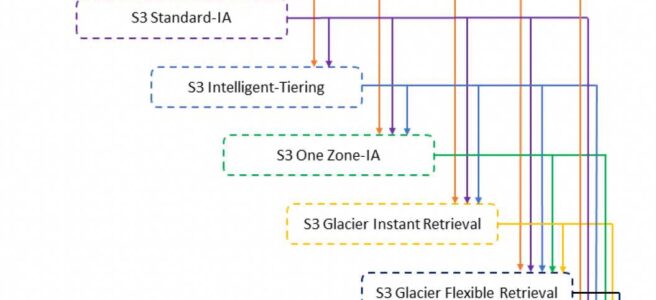
Amazon S3 supports a waterfall model for transitioning between storage classes:
S3 Standard → S3 Standard-IA, S3 Intelligent-Tiering, S3 One Zone-IA, S3 Glacier Instant Retrieval, S3 Glacier Flexible Retrieval, or S3 Glacier Deep Archive.
S3 Standard-IA → S3 Intelligent-Tiering, S3 One Zone-IA, S3 Glacier Instant Retrieval, S3 Glacier Flexible Retrieval, or S3 Glacier Deep Archive.
S3 Intelligent-Tiering → depends on the current access tier:
Frequent Access or Infrequent Access tier → S3 One Zone-IA, S3 Glacier Instant Retrieval, S3 Glacier Flexible Retrieval, or S3 Glacier Deep Archive.
Archive Instant Access tier → S3 Glacier Instant Retrieval, S3 Glacier Flexible Retrieval, or S3 Glacier Deep Archive.
Archive Access tier → S3 Glacier Flexible Retrieval or S3 Glacier Deep Archive.
Deep Archive Access tier → S3 Glacier Deep Archive.
S3 One Zone-IA → S3 Glacier Flexible Retrieval or S3 Glacier Deep Archive.
S3 Glacier Instant Retrieval → S3 Glacier Flexible Retrieval or S3 Glacier Deep Archive.
S3 Glacier Flexible Retrieval → S3 Glacier Deep Archive.
Lifecycle Transitions Constraints
Object Size Default Behavior (Updated September 2024)
Objects smaller than 128 KB will not transition to any storage class by default.
This applies to all storage classes (updated from previous behavior that allowed small objects to transition to Glacier classes).
To allow smaller objects to transition, add an object size filter (ObjectSizeGreaterThan or ObjectSizeLessThan) to your rule.
Configurations created before September 2024 retain the previous behavior unless modified.
Minimum 30 Days for S3 Standard-IA or S3 One Zone-IA
Objects must be stored for at least 30 days in the current storage class before being transitioned to S3 Standard-IA or S3 One Zone-IA.
Similarly, noncurrent objects in versioned buckets must be at least 30 days noncurrent.
Minimum Storage Duration Charges
S3 Standard-IA / S3 One Zone-IA – 30 days minimum.
S3 Glacier Instant Retrieval – 90 days minimum.
S3 Glacier Flexible Retrieval – 90 days minimum.
S3 Glacier Deep Archive – 180 days minimum.
Deleting or transitioning objects before the minimum duration incurs prorated early deletion fees.
You can’t create a single lifecycle rule that transitions through storage classes faster than minimum durations allow (e.g., transition to Glacier Instant Retrieval after 4 days, then to Deep Archive after 20 days). Two separate rules are needed, but minimum duration charges still apply.
Replication and Lifecycle Interaction (Updated March 2026)
S3 Lifecycle now prevents expiration and transition actions on objects with PENDING or FAILED replication status.
This ensures lifecycle does not act on objects until they have successfully replicated to their destination bucket.
For versioning-enabled or versioning-suspended buckets, objects with a Pending or Failed replication status cannot be transitioned.
Archival Storage Overhead
For each object archived to S3 Glacier Flexible Retrieval or S3 Glacier Deep Archive, S3 adds 8 KB metadata (charged at S3 Standard rates) + 32 KB index data (charged at Glacier rates) = 40 KB total overhead per object.
Consider aggregating small objects into larger ones to reduce overhead costs.
Expiration Rules
For Non Versioned bucket:
Object is permanently deleted.
For Versioned bucket:
Expiration applies to the Current object only and does not impact noncurrent versions.
S3 inserts a Delete Marker with a unique version ID; the previous current object becomes noncurrent.
S3 will not take any action if the Current object is already a Delete Marker.
If the bucket has a single object which is the Delete Marker (expired object delete marker), S3 removes the Delete Marker.
For Versioned Suspended bucket:
S3 inserts a Delete Marker with version ID null and overwrites any object with version ID null.
NoncurrentVersionExpiration
Allows permanent deletion of noncurrent object versions after a specified number of days.
NewerNoncurrentVersions – Specifies how many noncurrent versions to retain (up to 100). S3 permanently deletes any additional noncurrent versions beyond this number.
Helps control storage costs in versioning-enabled buckets by keeping only a defined number of older versions.
Asynchronous Processing
When an object reaches the end of its lifetime, S3 queues it for removal and removes it asynchronously.
There may be a delay between the expiration/transition date and the actual action.
However, billing changes occur based on the rule satisfaction date (except for transitions to S3 Intelligent-Tiering where billing changes after physical transition).
S3 Lifecycle rules run once each day.
Tag-based Filter Evaluation
S3 evaluates objects against tag-based filters daily.
At execution time, S3 re-evaluates the object’s current tags. If the triggering tag is no longer present, the transition does not proceed.
Removing a tag does not guarantee immediate cancellation – the action may execute before the tag removal is observed.
S3 Lifecycle Event Notifications
S3 can send event notifications when lifecycle actions are performed:
s3:LifecycleTransition – notifies when an object is transitioned from one storage class to another.
s3:LifecycleExpiration:Delete – notifies when an object is permanently deleted (unversioned bucket) or when an object version is permanently deleted.
s3:LifecycleExpiration:DeleteMarkerCreated – notifies when S3 Lifecycle creates a delete marker for a current version in a versioned bucket.
Notifications can be published to SNS, SQS, or Lambda.
Useful for tracking and auditing lifecycle actions.
S3 Intelligent-Tiering and Lifecycle
S3 Intelligent-Tiering automatically moves objects through access tiers based on access patterns:
Frequent Access – default tier for newly uploaded objects.
Infrequent Access – objects not accessed for 30 consecutive days (40% lower cost).
Archive Instant Access – objects not accessed for 90 consecutive days (68% lower cost than Infrequent Access).
Archive Access (optional) – objects not accessed for 90-730 days (configurable).
Deep Archive Access (optional) – objects not accessed for 180-730 days (configurable).
Objects accessed in any tier are automatically moved back to the Frequent Access tier.
Lifecycle rules can transition objects from any storage class to S3 Intelligent-Tiering.
No retrieval charges when objects move between tiers within Intelligent-Tiering.
A monthly monitoring and automation charge per object applies.
No minimum object size requirement (no 128 KB minimum) for Intelligent-Tiering.
S3 Express One Zone Lifecycle (Directory Buckets)
S3 Express One Zone (directory buckets) supports S3 Lifecycle expiration rules since November 2024.
Supported actions: Expiration (delete objects) only. Transition actions between storage classes are not supported.
Lifecycle rules can filter by prefix or object size.
Unlike general purpose buckets, bucket policies in directory buckets can block lifecycle deletions – requires proper CreateSession permissions.
Useful for automatically cleaning up temporary or short-lived data in high-performance workloads.
AWS Certification Exam Practice Questions
Questions are collected from Internet and the answers are marked as per my knowledge and understanding (which might differ with yours).
AWS services are updated everyday and both the answers and questions might be outdated soon, so research accordingly.
AWS exam questions are not updated to keep up the pace with AWS updates, so even if the underlying feature has changed the question might not be updated
Open to further feedback, discussion and correction.
If an object is stored in the Standard S3 storage class and you want to move it to Glacier, what must you do in order to properly migrate it?
Change the storage class directly on the object.
Delete the object and re-upload it, selecting Glacier as the storage class.
None of the above.
Create a lifecycle policy that will migrate it after a minimum of 30 days. (Any object uploaded to S3 must first be placed into either the Standard, Reduced Redundancy, or Infrequent Access storage class. Once in S3 the only way to move the object to glacier is through a lifecycle policy. NOTE: As of current AWS updates, you can also use the CopyObject API or S3 console to directly change storage class, but lifecycle policies remain the automated approach.)
A company wants to store their documents in AWS. Initially, these documents will be used frequently, and after a duration of 6 months, they would not be needed anymore. How would you architect this requirement?
Store the files in Amazon EBS and create a Lifecycle Policy to remove the files after 6 months.
Store the files in Amazon S3 and create a Lifecycle Policy to remove the files after 6 months.
Store the files in Amazon Glacier and create a Lifecycle Policy to remove the files after 6 months.
Store the files in Amazon EFS and create a Lifecycle Policy to remove the files after 6 months.
Your firm has uploaded a large amount of aerial image data to S3. In the past, in your on-premises environment, you used a dedicated group of servers to process this data and used Rabbit MQ, an open source messaging system, to get job information to the servers. Once processed the data would go to tape and be shipped offsite. Your manager told you to stay with the current design, and leverage AWS archival storage and messaging services to minimize cost. Which is correct?
Use SQS for passing job messages, use CloudWatch alarms to terminate EC2 worker instances when they become idle. Once data is processed, change the storage class of the S3 objects to Reduced Redundancy Storage (Need to replace On-Premises Tape functionality. Also, RRS is no longer recommended.)
Setup Auto-Scaled workers triggered by queue depth that use spot instances to process messages in SQS. Once data is processed, change the storage class of the S3 objects to Reduced Redundancy Storage (Need to replace On-Premises Tape functionality. Also, RRS is no longer recommended.)
Setup Auto-Scaled workers triggered by queue depth that use spot instances to process messages in SQS. Once data is processed, change the storage class of the S3 objects to Glacier (Glacier suitable for Tape backup. Note: Current terminology is S3 Glacier Flexible Retrieval.)
Use SNS to pass job messages use CloudWatch alarms to terminate spot worker instances when they become idle. Once data is processed, change the storage class of the S3 object to Glacier.
You have a proprietary data store on-premises that must be backed up daily by dumping the data store contents to a single compressed 50GB file and sending the file to AWS. Your SLAs state that any dump file backed up within the past 7 days can be retrieved within 2 hours. Your compliance department has stated that all data must be held indefinitely. The time required to restore the data store from a backup is approximately 1 hour. Your on-premise network connection is capable of sustaining 1gbps to AWS. Which backup methods to AWS would be most cost-effective while still meeting all of your requirements?
Send the daily backup files to Glacier immediately after being generated (will not meet the RTO)
Transfer the daily backup files to an EBS volume in AWS and take daily snapshots of the volume (Not cost effective)
Transfer the daily backup files to S3 and use appropriate bucket lifecycle policies to send to Glacier (Store in S3 for seven days and then archive to S3 Glacier Flexible Retrieval)
Host the backup files on a Storage Gateway with Gateway-Cached Volumes and take daily snapshots (Not Cost-effective as local storage as well as S3 storage)
A company has millions of small objects (5 KB each) stored in S3 Standard. They want to create a lifecycle rule to transition these objects to S3 Glacier Flexible Retrieval after 90 days. What should they consider?
Objects smaller than 128 KB will not be transitioned by default. They should use an object size filter to explicitly allow small object transitions, and also consider the 40 KB per-object storage overhead in Glacier.
Objects smaller than 128 KB are automatically transitioned to Glacier with no restrictions.
Small objects cannot be stored in any Glacier storage class.
They must first transition to Standard-IA before transitioning to Glacier.
A company uses S3 Cross-Region Replication (CRR) and S3 Lifecycle rules on the same bucket. Some objects have a replication status of FAILED. What happens when the lifecycle expiration rule is triggered for these objects?
The objects are immediately deleted as per the lifecycle rule.
S3 Lifecycle pauses expiration and transition actions on objects with PENDING or FAILED replication status until replication succeeds or is resolved.
The objects are transitioned to Glacier despite the failed replication.
The lifecycle rule is permanently disabled for the bucket.
Which of the following is a valid S3 Lifecycle transition path?
A company wants to retain only the 5 most recent noncurrent versions of objects in a versioned S3 bucket and delete all older versions. Which lifecycle configuration should they use?
Set an Expiration action with Days = 5
Use a transition rule to move old versions to Glacier
Configure NoncurrentVersionExpiration with NewerNoncurrentVersions set to 5
Enable S3 Object Lock with a retention period of 5 days
AWS in API driven and AWS Interaction Tools allow plenty of options to enable interaction with its services and includes.
AWS Management console
AWS Management console is a graphical user interface to access AWS
AWS management console requires credentials in the form of User Name and Password to be able to login and uses Query APIs underlying for its interaction with AWS
AWS Command Line Interface (CLI)
AWS Command Line Interface (CLI) is a unified tool that provides a consistent interface for interacting with all parts of AWS
Provides commands for a broad set of AWS products, and is supported on Windows, Mac, and Linux
CLI required Access key & Secret key credentials and uses Query APIs underlying for its interaction with AWS
CLI construct and send requests to AWS for you, and as part of that process, they sign the requests using an access key that you provide.
CLI also take care of many of the connection details, such as calculating signatures, handling request retries, and error handling.
Software Development Kit (SDKs)
Software Development Kits (SDKs) simplify using AWS services in your applications with an API tailored to your programming language or platform
SDKs currently support a wide range of languages which include Java, PHP, Ruby, Python, .Net, GO, Node.js etc
SDKs construct and send requests to AWS for you, and as part of that process, they sign the requests using an access key that you provide.
SDKs also take care of many of the connection details, such as calculating signatures, handling request retries, and error handling.
Query APIs
Query APIs provides HTTP or HTTPS requests that use the HTTP verb GET or POST and a Query parameter named “Action”
CLI required Access key & Secret key credentials for its interaction
Query APIs is the core of all the access tools and requires you to calculate signatures and attach them to the request
AWS Certification Exam Practice Questions
Questions are collected from Internet and the answers are marked as per my knowledge and understanding (which might differ with yours).
AWS services are updated everyday and both the answers and questions might be outdated soon, so research accordingly.
AWS exam questions are not updated to keep up the pace with AWS updates, so even if the underlying feature has changed the question might not be updated
Open to further feedback, discussion and correction.
REST or Query requests are HTTP or HTTPS requests that use an HTTP verb (such as GET or POST) and a parameter named Action or Operation that specifies the API you are calling.
Through which of the following interfaces is AWS Identity and Access Management available?
A) AWS Management Console
B) Command line interface (CLI)
C) IAM Query API
D) Existing libraries
Only through Command line interface (CLI)
A, B and C
A and C
All of the above
Which of the following programming languages have an officially supported AWS SDK? Choose 2 answers
PHP
Pascal
Java
SQL
Perl
HTTP Query-based requests are HTTP requests that use the HTTP verb GET or POST and a Query parameter named_____________.
Denial of Service (DoS) is an attack, carried out by a single attacker, which attempts to make a website or application unavailable to the end users.
Distributed Denial of Service (DDoS) is an attack, carried out by multiple attackers either controlled or compromised by a group of collaborators, which generates a flood of requests to the application making in unavailable to the legitimate end users
Mitigation techniques
Minimize the Attack Surface Area
This is all all about reducing the attack surface, the different Internet entry points, that allows access to your application
Strategy to minimize the Attack surface area
reduce the number of necessary Internet entry points,
don’t expose back end servers,
eliminate non-critical Internet entry points,
separate end user traffic from management traffic,
obfuscate necessary Internet entry points to the level that untrusted end users cannot access them, and
decouple Internet entry points to minimize the effects of attacks.
Benefits
Minimizes the effective attack vectors and targets
Less to monitor and protect
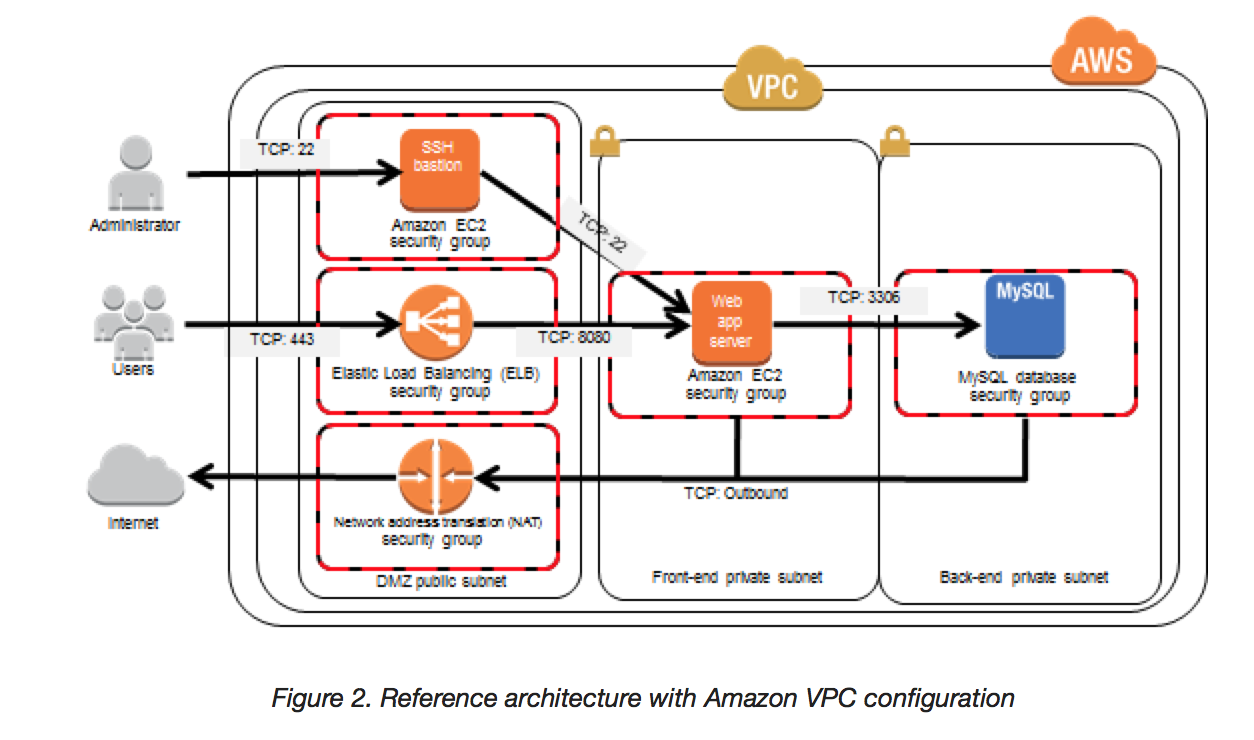
Strategy can be achieved using AWS Virtual Private Cloud (VPC)
helps define a logically isolated virtual network within the AWS
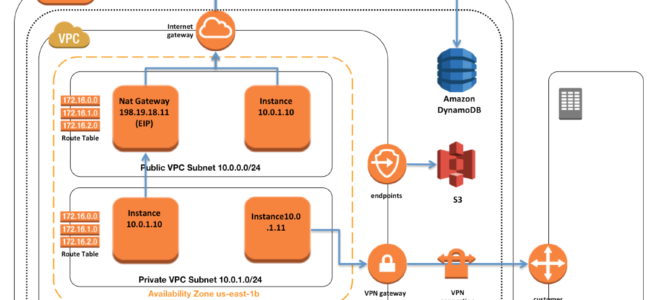
provides ability to create Public & Private Subnets to launch the internet facing and non-public facing instances accordingly
provides NAT gateway which allows instances in the private subnet to have internet access without the need to launch them in public subnets with Public IPs
allows creation of Bastion host which can be used to connect to instances in the private subnets
provides the ability to configure security groups for instances and NACLs for subnets, which act as a firewall, to control and limit outbound and inbound traffic
Be Ready to Scale to Absorb the Attack
DDOS mainly targets to load the systems till the point they cannot handle the load and are rendered unusable.
Scaling out Benefits
help build a resilient architecture
makes the attacker work harder
gives you time to think, analyze and adapt
AWS provided services :-
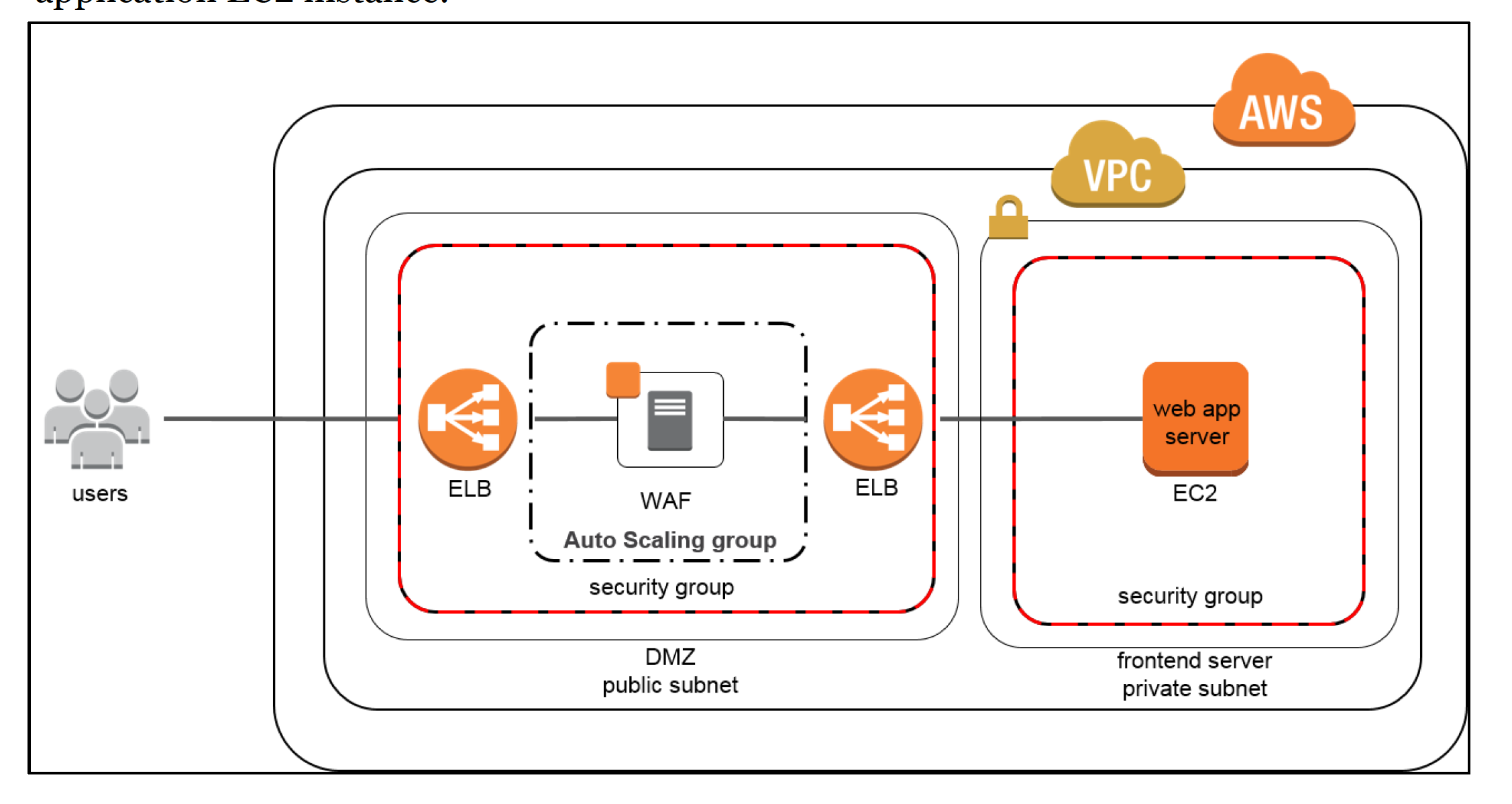
Auto Scaling & ELB
Horizontal scaling using Auto Scaling with ELB
Auto Scaling allows instances to be added and removed as the demand changes
ELB helps distribute the traffic across multiple EC2 instances while acting as a Single point of contact.
Auto Scaling automatically registers and deregisters EC2 instances with the ELB during scale out and scale in events
EC2 Instance
Vertical scaling can be achieved by using appropriate EC2 instance types for e.g. EBS optimized or ones with 10 gigabyte network connectivity to handle the load
Enhanced Networking
Use Instances with Enhanced Networking capabilities which can provide high packet-per-second performance, low latency networking, and improved scalability
Amazon CloudFront
CloudFront is a CDN, acts as a proxy between end users and the Origin servers, and helps distribute content to the end users without sending traffic to the Origin servers.
CloudFront has the inherent ability to help mitigate against both infrastructure and some application layer DDoS attacks by dispersing the traffic across multiple locations.
AWS has multiple Internet connections for capacity and redundancy at each location, which allows it to isolate attack traffic while serving content to legitimate end users
CloudFront also has filtering capabilities to ensure that only valid TCP connections and HTTP requests are made while dropping invalid requests. This takes the burden of handling invalid traffic (commonly used in UDP & SYN floods, and slow reads) off the origin.
Route 53
DDOS attacks are also targeted towards DNS, cause if the DNS is unavailable your application is effectively unavailable.
AWS Route 53 is highly available and scalable DNS service and have capabilities to ensure access to the application even when under DDOS attack
Shuffle Sharding – Shuffle sharding is similar to the concept of database sharding, where horizontal partitions of data are spread across separate database servers to spread load and provide redundancy. Similarly, Amazon Route 53 uses shuffle sharding to spread DNS requests over numerous PoPs, thus providing multiple paths and routes for your application.
Anycast Routing – Anycast routing increases redundancy by advertising the same IP address from multiple PoPs. In the event that a DDoS attack overwhelms one endpoint, shuffle sharding isolate failures while providing additional routes to your infrastructure.
Safeguard Exposed & Hard to Scale Expensive Resources
If entry points cannot be limited, additional measures to restrict access and protect those entry points without interrupting legitimate end user traffic
AWS provided services :-
CloudFront
CloudFront can restrict access to content using Geo Restriction and Origin Access Identity
With Geo Restriction, access can be restricted to a set of whitelisted countries or prevent access from a set of black listed countries
Origin Access Identity is the CloudFront special user which allows access to the resources only through CloudFront while denying direct access to the origin content for e.g. if S3 is the Origin for CloudFront, S3 can be configured to allow access only from OAI and hence deny direct access
Route 53
Route 53 provides two features Alias Record sets & Private DNS to make it easier to scale infrastructure and respond to DDoS attacks
WAF
WAFs act as filters that apply a set of rules to web traffic. Generally, these rules cover exploits like cross-site scripting (XSS) and SQL injection (SQLi) but can also help build resiliency against DDoS by mitigating HTTP GET or POST floods
WAF provides a lot of features like
OWASP Top 10
HTTP rate limiting (where only a certain number of requests are allowed per user in a timeframe),
Whitelist or blacklist (customizable rules)
inspect and identify requests with abnormal patterns,
CAPTCHA etc
To prevent WAF from being a Single point of failure, a WAF sandwich pattern can be implemented where an autoscaled WAF sits between the Internet and Internal Load Balancer
Learn Normal Behavior
Understand the normal usual levels and Patterns of traffic for your application and use that as a benchmark for identifying abnormal level of traffic or resource spikes patterns
Benefits
allows one to spot abnormalities
configure Alarms with accurate thresholds
assists with generating forensic data
AWS provided services for tracking
AWS CloudWatch monitoring
CloudWatch can be used to monitor your infrastructure and applications running in AWS. Amazon CloudWatch can collect metrics, log files, and set alarms for when these metrics have passed predetermined thresholds
VPC Flow Logs
Flow logs helps capture traffic to the Instances in an VPC and can be used to understand the pattern
Create a Plan for Attacks
Have a plan in place before an attack, which ensures that:
Architecture has been validated and techniques selected work for the infrastructure
Costs for increased resiliency have been evaluated and the goals of your defense are understood
Contact points have been identified
AWS Certification Exam Practice Questions
Questions are collected from Internet and the answers are marked as per my knowledge and understanding (which might differ with yours).
AWS services are updated everyday and both the answers and questions might be outdated soon, so research accordingly.
AWS exam questions are not updated to keep up the pace with AWS updates, so even if the underlying feature has changed the question might not be updated
Open to further feedback, discussion and correction.
You are designing a social media site and are considering how to mitigate distributed denial-of-service (DDoS) attacks. Which of the below are viable mitigation techniques? (Choose 3 answers)
Add multiple elastic network interfaces (ENIs) to each EC2 instance to increase the network bandwidth.
Use dedicated instances to ensure that each instance has the maximum performance possible.
Use an Amazon CloudFront distribution for both static and dynamic content.
Use an Elastic Load Balancer with auto scaling groups at the web app and Amazon Relational Database Service (RDS) tiers
Add alert Amazon CloudWatch to look for high Network in and CPU utilization.
Create processes and capabilities to quickly add and remove rules to the instance OS firewall.
You’ve been hired to enhance the overall security posture for a very large e-commerce site. They have a well architected multi-tier application running in a VPC that uses ELBs in front of both the web and the app tier with static assets served directly from S3. They are using a combination of RDS and DynamoDB for their dynamic data and then archiving nightly into S3 for further processing with EMR. They are concerned because they found questionable log entries and suspect someone is attempting to gain unauthorized access. Which approach provides a cost effective scalable mitigation to this kind of attack?
Recommend that they lease space at a DirectConnect partner location and establish a 1G DirectConnect connection to their VPC they would then establish Internet connectivity into their space, filter the traffic in hardware Web Application Firewall (WAF). And then pass the traffic through the DirectConnect connection into their application running in their VPC. (Not cost effective)
Add previously identified hostile source IPs as an explicit INBOUND DENY NACL to the web tier subnet. (does not protect against new source)
Add a WAF tier by creating a new ELB and an AutoScaling group of EC2 Instances running a host-based WAF. They would redirect Route 53 to resolve to the new WAF tier ELB. The WAF tier would their pass the traffic to the current web tier The web tier Security Groups would be updated to only allow traffic from the WAF tier Security Group
Remove all but TLS 1.2 from the web tier ELB and enable Advanced Protocol Filtering This will enable the ELB itself to perform WAF functionality. (No advanced protocol filtering in ELB)
AWS VPC – Virtual Private Cloud is a virtual network dedicated to the AWS account. It is logically isolated from other virtual networks in the AWS cloud.
VPC allows the users complete control over their virtual networking environment, including the selection of their own IP address range, creation of subnets, and configuration of route tables and network gateways.
VPC allows you to use both IPv4 and IPv6 in your VPC for secure and easy access to resources and applications.
VPC is a regional service and it spans all of the AZs in the Region. Availability zones (AZ) are multiple, isolated locations within each Region.
VPC Sizing
VPC needs a set of IP addresses in the form of a Classless Inter-Domain Routing (CIDR) block for e.g, 10.0.0.0/16, which allows 2^16 (65536) IP address to be available
Allowed CIDR block size is between
/28 netmask (minimum with 2^4 – 16 available IP address) and
/16 netmask (maximum with 2^16 – 65536 IP address)
CIDR block from private (non-publicly routable) IP address can be assigned
10.0.0.0 – 10.255.255.255 (10/8 prefix)
172.16.0.0 – 172.31.255.255 (172.16/12 prefix)
192.168.0.0 – 192.168.255.255 (192.168/16 prefix)
It’s possible to specify a range of publicly routable IP addresses; however, direct access to the Internet is not currently supported from publicly routable CIDR blocks in a VPC
CIDR block once assigned to the VPC cannot be modified.NOTE – You can now resize VPC. Read AWS blog post.
Each VPC is separate from any other VPC created with the same CIDR block even if it resides within the same AWS account
Connection between your VPC and corporate or home network can be established, however, the CIDR blocks should be not be overlapping for e.g. VPC with CIDR 10.0.0.0/16 can communicate with 10.1.0.0/16 corporate network but the connections would be dropped if it tries to connect to 10.0.37.0/16 corporate network cause of overlapping IP addresses.
VPC allows you to set tenancy options for the Instances launched in it. By default, the tenancy option is shared. If the dedicated option is selected, all the instances within it are launched on dedicated hardware overriding the individual instance tenancy setting.
Deletion of the VPC is possible only after terminating all instances within the VPC and deleting all the components with the VPC e.g. subnets, security groups, network ACLs, route tables, Internet gateways, VPC peering connections, and DHCP options
VPC Peering provides a networking connection between two VPCs (same or different account and region) that enables routing of traffic between them using private IPv4 addresses or IPv6 addresses.
NAT Gateway enables instances in a private subnet to connect to the Internet but prevents the Internet from initiating connections with the instances.
VPC endpoints enable the creation of a private connection between VPC to supported AWS services and VPC endpoint services powered by PrivateLink using its private IP address.
Subnets
Subnet spans a single Availability Zone, distinct locations engineered to be isolated from failures in other AZs, and cannot span across AZs
Subnet can be configured with an Internet gateway to enable communication over the Internet, or virtual private gateway (VPN) connection to enable communication with your corporate network
Subnet can be Public or Private and it depends on whether it has Internet connectivity i.e. is able to route traffic to the Internet through the IGW
Instances within the Public Subnet should be assigned a Public IP or Elastic IP address to be able to communicate with the Internet
For Subnets not connected to the Internet, but has traffic routed through Virtual Private Gateway only is termed as VPN-only subnet
Subnets can be configured to Enable assignment of the Public IP address to all the Instances launched within the Subnet by default, which can be overridden during the creation of the Instance
Subnet Sizing
CIDR block assigned to the Subnet can be the same as the VPC CIDR, in this case you can launch only one subnet within your VPC
CIDR block assigned to the Subnet can be a subset of the VPC CIDR, which allows you to launch multiple subnets within the VPC
CIDR block assigned to the subnet should not be overlapping
CIDR block size allowed is between
/28 netmask (minimum with 2^4 – 16 available IP address) and
/16 netmask (maximum with 2^16 – 65536 IP address)
AWS reserves 5 IPs address (first 4 and last 1 IP address) in each Subnet which are not available for use and cannot be assigned to an instance. for e.g. for a Subnet with a CIDR block 10.0.0.0/24 the following five IPs are reserved
10.0.0.0: Network address
10.0.0.1: Reserved by AWS for the VPC router
10.0.0.2: Reserved by AWS for mapping to Amazon-provided DNS
10.0.0.3: Reserved by AWS for future use
10.0.0.255: Network broadcast address. AWS does not support broadcast in a VPC, therefore the address is reserved.
Subnet Routing
Each Subnet is associated with a route table that controls the traffic.
Subnet Security
Subnet security can be configured using Security groups and NACLs
Security groups work at the instance level, and NACLs work at the subnet level
VPC & Subnet Sizing
VPC supports IPv4 and IPv6 addressing and has different CIDR block size limits for each
IPv6 CIDR block can be optionally associated with the VPC
VPC IPv4 CIDR block cannot be modified once created i.e. cannot increase or decrease the size of an existing CIDR block.
However, secondary CIDR blocks can be associated with the VPC to extend the VPC
Limitations
allowed block size is between a /28 netmask and /16 netmask.
CIDR block must not overlap with any existing CIDR block that’s associated with the VPC.
CIDR block must not be the same or larger than the CIDR range of a route in any of the VPC route tables for e.g. for a CIDR block 10.0.0.0/24, can only associate smaller CIDR blocks like 10.0.0.0/25
IP Addresses
Instances launched in the VPC can have Private, Public, and Elastic IP addresses assigned to them and are properties of ENI (Network Interfaces)
Private IP Addresses
Private IP addresses are not reachable over the Internet, and can be used for communication only between the instances within the VPC
All instances are assigned a private IP address, within the IP address range of the subnet, to the default network interface
Primary IP address is associated with the network interface for its lifetime, even when the instance is stopped and restarted and is released only when the instance is terminated
Additional Private IP addresses, known as secondary private IP address, can be assigned to the instances and these can be reassigned from one network interface to another
Public IP address
Public IP addresses are reachable over the Internet, and can be used for communication between instances and the Internet, or with other AWS services that have public endpoints
Public IP address assignment to the Instance depends if the Public IP Addressing is enabled for the Subnet.
Public IP address can also be assigned to the Instance by enabling the Public IP addressing during the creation of the instance, which overrides the subnet’s public IP addressing attribute
Public IP address is assigned from AWS pool of IP addresses and it is not associated with the AWS account and hence is released when the instance is stopped and restarted or terminated.
Elastic IP address
Elastic IP addresses are static, persistent public IP addresses that can be associated and disassociated with the instance, as required
Elastic IP address is allocated to the VPC and owned by the account unless released.
A Network Interface can be assigned either a Public IP or an Elastic IP. If you assign an instance, that already has a Public IP, an Elastic IP, the public IP is released
Elastic IP addresses can be moved from one instance to another, which can be within the same or different VPC within the same account
Elastic IPs are charged for non-usage i.e. if it is not associated or associated with a stopped instance or an unattached Network Interface
Elastic Network Interface (ENI)
Each Instance is attached to a default elastic network interface (Primary Network Interface eth0) and cannot be detached from the instance
ENI can include the following attributes
Primary private IP address
One or more secondary private IP addresses
One Elastic IP address per private IP address
One public IP address, which can be auto-assigned to the network interface for eth0 when you launch an instance, but only when you create a network interface for eth0 instead of using an existing ENI
One or more security groups
A MAC address
A source/destination check flag
A description
ENI’s attributes follow the ENI as it is attached or detached from an instance and reattached to another instance. When an ENI is moved from one instance to another, network traffic is redirected to the new instance.
Multiple ENIs can be attached to an instance and is useful for use cases:
Create a management network.
Use network and security appliances in your VPC.
Create dual-homed instances with workloads/roles on distinct subnets.
Create a low-budget, high-availability solution.
Route Tables
Route table defines rules, termed as routes, which determine where network traffic from the subnet would be routed
Each VPC has an implicit router to route network traffic
Each VPC has a Main Route table and can have multiple custom route tables created
Each Subnet within a VPC must be associated with a single route table at a time, while a route table can have multiple subnets associated with it
Subnet, if not explicitly associated to a route table, is implicitly associated with the main route table
Every route table contains a local route that enables communication within a VPC which cannot be modified or deleted
Route priority is decided by matching the most specific route in the route table that matches the traffic
Route tables need to be updated to define routes for Internet gateways, Virtual Private gateways, VPC Peering, VPC Endpoints, NAT Devices, etc.
Internet Gateways – IGW
An Internet gateway is a horizontally scaled, redundant, and highly available VPC component that allows communication between instances in the VPC and the Internet.
IGW imposes no availability risks or bandwidth constraints on the network traffic.
An Internet gateway serves two purposes:
To provide a target in the VPC route tables for Internet-routable traffic,
To perform network address translation (NAT) for instances that have been NOT been assigned public IP addresses.
Enabling Internet access to an Instance requires
Attaching Internet gateway to the VPC
Subnet should have route tables associated with the route pointing to the Internet gateway
Instances should have a Public IP or Elastic IP address assigned
Security groups and NACLs associated with the Instance should allow relevant traffic
NAT device enables instances in a private subnet to connect to the Internet or other AWS services, but prevents the Internet from initiating connections with the instances.
NAT devices do not support IPv6 traffic, use an egress-only Internet gateway instead.
Egress-only Internet gateway works as a NAT gateway, but for IPv6 traffic
Egress-only Internet gateway is a horizontally scaled, redundant, and highly available VPC component that allows outbound communication over IPv6 from instances in the VPC to the Internet, and prevents the Internet from initiating an IPv6 connection with the instances.
An egress-only Internet gateway is for use with IPv6 traffic only. To enable outbound-only Internet communication over IPv4, use a NAT gateway instead.
Shared VPCs
VPC sharing allows multiple AWS accounts to create their application resources, such as EC2 instances, RDS databases, Redshift clusters, and AWS Lambda functions, into shared, centrally-managed VPCs.
In this model, the account that owns the VPC (owner) shares one or more subnets with other accounts (participants) that belong to the same organization from AWS Organizations.
After a subnet is shared, the participants can view, create, modify, and delete their application resources in the subnets shared with them. Participants cannot view, modify, or delete resources that belong to other participants or the VPC owner.
VPC endpoint enables the creation of a private connection between VPC to supported AWS services and VPC endpoint services powered by PrivateLink using its private IP address
Traffic between VPC and AWS service does not leave the Amazon network
Endpoints are virtual devices, that are horizontally scaled, redundant, and highly available VPC components that allow communication between instances in the VPC and AWS services without imposing availability risks or bandwidth constraints on your network traffic.
Endpoints currently do not support cross-region requests, ensure that the endpoint is created in the same region as the S3 bucket
AWS currently supports the following types of Endpoints
A VPC peering connection is a networking connection between two VPCs that enables the routing of traffic between them using private IPv4 addresses or IPv6 addresses.
VPC peering connection is a one-to-one relationship between two VPCs and can be established between your own VPCs, or with a VPC in another AWS account in the same or different region.
VPC peering helps instances in either VPC can communicate with each other as if they are within the same network using AWS’s existing infrastructure of a VPC to create a peering connection; it is neither a gateway nor a VPN connection and does not rely on a separate piece of physical hardware.
VPC peering does not have any separate charges. However, there are data transfer charges.
VPC Flow Logs help capture information about the IP traffic going to and from network interfaces in the VPC and can help in monitoring the traffic or troubleshooting any connectivity issues.
Flow log can be created for the entire VPC, subnets, or each network interface. If enabled, for the entire VPC or subnet all the network interfaces within that resource are monitored.
Flow log can be configured to capture the type of traffic (accepted traffic, rejected traffic, or all traffic).
Flow logs do not capture real-time log streams for network interfaces.
Flow log data is collected outside of the path of the network traffic, and therefore does not affect network throughput or latency.
Flow logs can be created for network interfaces that are created by other AWS services; for e.g., ELB, RDS, ElastiCache, Redshift, and WorkSpaces.
Flow logs do not capture the following traffic
Traffic generated by instances when they contact the Amazon DNS server.
Traffic generated by a Windows instance for Amazon Windows license activation.
Traffic to and from 169.254.169.254 for instance metadata
Traffic to and from 169.254.169.123 for the Amazon Time Sync Service.
DHCP traffic.
Mirrored traffic.
Traffic to the reserved IP address for the default VPC router.
Traffic between an endpoint network interface and a Network Load Balancer network interface.
Troubleshooting traffic flow
If ACCEPT followed by REJECT, inbound was accepted by Security Groups and ACLs. However, rejected by NACLs outbound
If REJECT, inbound was either rejected by Security Groups OR NACLs.
AWS VPC IP Address Manager (IPAM)
Amazon VPC IP Address Manager (IPAM) is a fully managed service that simplifies IP address management across AWS environments.
IPAM provides centralized visibility and control over IP address allocations across multiple AWS Regions and accounts within an AWS Organization.
Key benefits of IPAM:
Eliminates manual IP address tracking via spreadsheets or disparate systems
Automated IP address allocation and tracking
Prevents IP address conflicts and overlaps
Provides holistic view of IP address utilization
Supports both IPv4 and IPv6 address management
IPAM Features
Hierarchical pool structure for organizing IP address space
Automated CIDR allocation for VPCs and subnets
Cross-region and cross-account IP address visibility
Integration with AWS Organizations for centralized management
Compliance monitoring and reporting
IP address history and audit trails
IPAM Advanced Tier (launched 2025)
Infoblox infrastructure integration for hybrid cloud IP management
Manage AWS IP addresses through existing Infoblox workflows
Available for private scopes
Enhanced enterprise-grade capabilities
IPAM Integrations
Application Load Balancer (ALB) integration for predictable IP address blocks (March 2025)
VPC CIDR allocation automation
AWS Resource Access Manager (RAM) for sharing IP pools
CloudWatch for monitoring and alerting
IPAM helps network administrators organize, assign, monitor, and audit IP addresses at scale, reducing management burden and eliminating manual errors.
IPAM is available across all AWS commercial regions, including Asia Pacific (Taipei) as of June 2025.
Amazon VPC Lattice
Amazon VPC Lattice is an application networking service that simplifies service-to-service communication across VPCs and AWS accounts.
VPC Lattice operates at Layer 4 (TCP) and Layer 7 (HTTP/HTTPS) to provide intelligent application-layer routing.
VPC Lattice eliminates the need for complex networking configurations, Transit Gateways, or sidecar-based service meshes.
Key Capabilities
Service-to-service connectivity across VPCs and accounts without IP address management
Built-in service discovery and routing
Application-layer authentication and authorization
Centralized observability and monitoring
Zero-trust security model with fine-grained access controls
Service Networks
Logical container for grouping related services
Provides consistent security policies across services
Can be shared across AWS accounts using AWS Resource Access Manager (RAM)
Enables cross-account connectivity at scale
VPC can have only one service network association
VPC Lattice vs Traditional Networking
Simpler than Transit Gateway for service-to-service communication
No need for VPC Peering connections between every VPC pair
Application-aware routing based on headers, paths, and methods
Automatic service discovery without DNS management
Built-in security without managing security groups across VPCs
Migration from AWS App Mesh
AWS App Mesh is being discontinued effective September 30, 2026
VPC Lattice is the recommended replacement for App Mesh workloads
VPC Lattice provides similar service mesh capabilities without sidecar proxies
Simplified architecture with centralized management
VPC Lattice integrates with Amazon ECS, EKS, EC2, Lambda, and other compute services.
Use cases include microservices architectures, multi-account applications, and hybrid cloud connectivity.
AWS Network Firewall
AWS Network Firewall is a fully managed network security service that protects VPCs from network threats.
Network Firewall provides enterprise-grade perimeter defense with deep packet inspection and intrusion prevention.
Key Features
Stateful and stateless firewall rules
Deep packet inspection (DPI) for Layer 7 traffic analysis
Intrusion detection and prevention system (IDS/IPS)
Domain name filtering and URL filtering
Protocol detection and blocking
Geographic IP filtering
Flexible Rules Engine
Supports thousands of custom firewall rules
Rules based on domain, port, protocol, IP addresses, and pattern matching
Suricata-compatible IPS rules for threat detection
AWS Managed Threat Signatures for known threats
Active threat defense against command-and-control channels and malicious URLs
Traffic Filtering Capabilities
Inbound and outbound web filtering for HTTP/HTTPS traffic
Server Name Indication (SNI) filtering for encrypted traffic
Application protocol detection and enforcement
Malware and botnet protection
DDoS attack mitigation
Deployment and Scalability
Deployed at VPC subnet boundaries
Automatically scales based on traffic load
High availability with 99.99% SLA
Multi-AZ deployment for redundancy
No capacity planning required
Logging and Monitoring
Detailed flow logs for all inspected traffic
Alert logs for detected threats
Integration with CloudWatch, S3, and Kinesis Data Firehose
Real-time visibility into network traffic patterns
Compliance reporting and audit trails
Network Firewall integrates with AWS Firewall Manager for centralized policy management across multiple accounts and VPCs.
Common use cases include perimeter security, egress filtering, threat prevention, and compliance enforcement.
AWS Certification Exam Practice Questions
Questions are collected from Internet and the answers are marked as per my knowledge and understanding (which might differ with yours).
AWS services are updated everyday and both the answers and questions might be outdated soon, so research accordingly.
AWS exam questions are not updated to keep up the pace with AWS updates, so even if the underlying feature has changed the question might not be updated
Open to further feedback, discussion and correction.
You have a business-to-business web application running in a VPC consisting of an Elastic Load Balancer (ELB), web servers, application servers and a database. Your web application should only accept traffic from predefined customer IP addresses. Which two options meet this security requirement? Choose 2 answers
Configure web server VPC security groups to allow traffic from your customers’ IPs (Web server is behind the ELB and customer IPs will never reach web servers)
Configure your web servers to filter traffic based on the ELB’s “X-forwarded-for” header (get the customer IPs and create a custom filter to restrict access. Refer link)
Configure ELB security groups to allow traffic from your customers’ IPs and deny all outbound traffic (ELB will see the customer IPs so can restrict access, deny all is basically have no rules in outbound traffic, implicit, and its stateful so would work)
Configure a VPC NACL to allow web traffic from your customers’ IPs and deny all outbound traffic (NACL is stateless, deny all will not work)
A user has created a VPC with public and private subnets using the VPC Wizard. The VPC has CIDR 20.0.0.0/16. The private subnet uses CIDR 20.0.0.0/24. Which of the below mentioned entries are required in the main route table to allow the instances in VPC to communicate with each other?
Destination : 20.0.0.0/24 and Target : VPC
Destination : 20.0.0.0/16 and Target : ALL
Destination : 20.0.0.0/0 and Target : ALL
Destination : 20.0.0.0/16 and Target : Local
A user has created a VPC with two subnets: one public and one private. The user is planning to run the patch update for the instances in the private subnet. How can the instances in the private subnet connect to the internet?
Use the internet gateway with a private IP
Allow outbound traffic in the security group for port 80 to allow internet updates
The private subnet can never connect to the internet
Use NAT with an elastic IP
A user has launched an EC2 instance and installed a website with the Apache webserver. The webserver is running but the user is not able to access the website from the Internet. What can be the possible reason for this failure?
The security group of the instance is not configured properly.
The instance is not configured with the proper key-pairs.
The Apache website cannot be accessed from the Internet.
Instance is not configured with an elastic IP.
A user has created a VPC with public and private subnets using the VPC wizard. Which of the below mentioned statements is true in this scenario?
AWS VPC will automatically create a NAT instance with the micro size
VPC bounds the main route table with a private subnet and a custom route table with a public subnet
User has to manually create a NAT instance
VPC bounds the main route table with a public subnet and a custom route table with a private subnet
A user has created a VPC with public and private subnets. The VPC has CIDR 20.0.0.0/16. The private subnet uses CIDR 20.0.1.0/24 and the public subnet uses CIDR 20.0.0.0/24. The user is planning to host a web server in the public subnet (port 80) and a DB server in the private subnet (port 3306). The user is configuring a security group of the NAT instance. Which of the below mentioned entries is not required for the NAT security group?
For Inbound allow Source: 20.0.1.0/24 on port 80
For Outbound allow Destination: 0.0.0.0/0 on port 80
For Inbound allow Source: 20.0.0.0/24 on port 80
For Outbound allow Destination: 0.0.0.0/0 on port 443
A user has created a VPC with CIDR 20.0.0.0/24. The user has used all the IPs of CIDR and wants to increase the size of the VPC. The user has two subnets: public (20.0.0.0/25) and private (20.0.0.128/25). How can the user change the size of the VPC?
The user can delete all the instances of the subnet. Change the size of the subnets to 20.0.0.0/32 and 20.0.1.0/32, respectively. Then the user can increase the size of the VPC using CLI
It is not possible to change the size of the VPC once it has been created (NOTE – You can now increase the VPC size. Read Post)
User can add a subnet with a higher range so that it will automatically increase the size of the VPC
User can delete the subnets first and then modify the size of the VPC
A user has created a VPC with the public and private subnets using the VPC wizard. The VPC has CIDR 20.0.0.0/16. The public subnet uses CIDR 20.0.1.0/24. The user is planning to host a web server in the public subnet (port 80) and a DB server in the private subnet (port 3306). The user is configuring a security group for the public subnet (WebSecGrp) and the private subnet (DBSecGrp). Which of the below mentioned entries is required in the web server security group (WebSecGrp)?
Configure Destination as DB Security group ID (DbSecGrp) for port 3306 Outbound
Configure port 80 for Destination 0.0.0.0/0 Outbound
Configure port 3306 for source 20.0.0.0/24 InBound
Configure port 80 InBound for source 20.0.0.0/16
A user has created a VPC with CIDR 20.0.0.0/16. The user has created one subnet with CIDR 20.0.0.0/16 by mistake. The user is trying to create another subnet of CIDR 20.0.0.1/24. How can the user create the second subnet?
There is no need to update the subnet as VPC automatically adjusts the CIDR of the first subnet based on the second subnet’s CIDR
The user can modify the first subnet CIDR from the console
It is not possible to create a second subnet as one subnet with the same CIDR as the VPC has been created
The user can modify the first subnet CIDR with AWS CLI
A user has setup a VPC with CIDR 20.0.0.0/16. The VPC has a private subnet (20.0.1.0/24) and a public subnet (20.0.0.0/24). The user’s data centre has CIDR of 20.0.54.0/24 and 20.1.0.0/24. If the private subnet wants to communicate with the data centre, what will happen?
It will allow traffic communication on both the CIDRs of the data centre
It will not allow traffic with data centre on CIDR 20.1.0.0/24 but allows traffic communication on 20.0.54.0/24
It will not allow traffic communication on any of the data centre CIDRs
It will allow traffic with data centre on CIDR 20.1.0.0/24 but does not allow on 20.0.54.0/24 (as the CIDR block would be overlapping)
A user has created a VPC with public and private subnets using the VPC wizard. The VPC has CIDR 20.0.0.0/16. The private subnet uses CIDR 20.0.0.0/24 . The NAT instance ID is i-a12345. Which of the below mentioned entries are required in the main route table attached with the private subnet to allow instances to connect with the internet?
Destination: 0.0.0.0/0 and Target: i-a12345
Destination: 20.0.0.0/0 and Target: 80
Destination: 20.0.0.0/0 and Target: i-a12345
Destination: 20.0.0.0/24 and Target: i-a12345
A user has created a VPC with CIDR 20.0.0.0/16 using the wizard. The user has created a public subnet CIDR (20.0.0.0/24) and VPN only subnets CIDR (20.0.1.0/24) along with the VPN gateway (vgw-12345) to connect to the user’s data centre. The user’s data centre has CIDR 172.28.0.0/12. The user has also setup a NAT instance (i-123456) to allow traffic to the internet from the VPN subnet. Which of the below mentioned options is not a valid entry for the main route table in this scenario?
Destination: 20.0.1.0/24 and Target: i-12345
Destination: 0.0.0.0/0 and Target: i-12345
Destination: 172.28.0.0/12 and Target: vgw-12345
Destination: 20.0.0.0/16 and Target: local
A user has created a VPC with CIDR 20.0.0.0/16. The user has created one subnet with CIDR 20.0.0.0/16 in this VPC. The user is trying to create another subnet with the same VPC for CIDR 20.0.0.1/24. What will happen in this scenario?
The VPC will modify the first subnet CIDR automatically to allow the second subnet IP range
It is not possible to create a subnet with the same CIDR as VPC
The second subnet will be created
It will throw a CIDR overlaps error
A user has created a VPC with CIDR 20.0.0.0/16 using the wizard. The user has created both Public and VPN-Only subnets along with hardware VPN access to connect to the user’s data centre. The user has not yet launched any instance as well as modified or deleted any setup. He wants to delete this VPC from the console. Will the console allow the user to delete the VPC?
Yes, the console will delete all the setups and also delete the virtual private gateway
No, the console will ask the user to manually detach the virtual private gateway first and then allow deleting the VPC
Yes, the console will delete all the setups and detach the virtual private gateway
No, since the NAT instance is running
A user has created a VPC with the public and private subnets using the VPC wizard. The VPC has CIDR 20.0.0.0/16. The public subnet uses CIDR 20.0.1.0/24. The user is planning to host a web server in the public subnet (port 80) and a DB server in the private subnet (port 3306). The user is configuring a security group for the public subnet (WebSecGrp) and the private subnet (DBSecGrp). Which of the below mentioned entries is required in the private subnet database security group (DBSecGrp)?
Allow Inbound on port 3306 for Source Web Server Security Group (WebSecGrp)
Allow Inbound on port 3306 from source 20.0.0.0/16
Allow Outbound on port 3306 for Destination Web Server Security Group (WebSecGrp.
Allow Outbound on port 80 for Destination NAT Instance IP
A user has created a VPC with a subnet and a security group. The user has launched an instance in that subnet and attached a public IP. The user is still unable to connect to the instance. The internet gateway has also been created. What can be the reason for the error?
The internet gateway is not configured with the route table
The private IP is not present
The outbound traffic on the security group is disabled
The internet gateway is not configured with the security group
A user has created a subnet in VPC and launched an EC2 instance within it. The user has not selected the option to assign the IP address while launching the instance. Which of the below mentioned statements is true with respect to the Instance requiring access to the Internet?
The instance will always have a public DNS attached to the instance by default
The user can directly attach an elastic IP to the instance
The instance will never launch if the public IP is not assigned
The user would need to create an internet gateway and then attach an elastic IP to the instance to connect from internet
A user has created a VPC with public and private subnets using the VPC wizard. Which of the below mentioned statements is not true in this scenario?
VPC will create a routing instance and attach it with a public subnet
VPC will create two subnets
VPC will create one internet gateway and attach it to VPC
VPC will launch one NAT instance with an elastic IP
A user has created a VPC with the public subnet. The user has created a security group for that VPC. Which of the below mentioned statements is true when a security group is created?
It can connect to the AWS services, such as S3 and RDS by default
It will have all the inbound traffic by default
It will have all the outbound traffic by default
It will by default allow traffic to the internet gateway
A user has created a VPC with CIDR 20.0.0.0/16 using VPC Wizard. The user has created a public CIDR (20.0.0.0/24) and a VPN only subnet CIDR (20.0.1.0/24) along with the hardware VPN access to connect to the user’s data centre. Which of the below mentioned components is not present when the VPC is setup with the wizard?
Main route table attached with a VPN only subnet
A NAT instance configured to allow the VPN subnet instances to connect with the internet
Custom route table attached with a public subnet
An internet gateway for a public subnet
A user has created a VPC with public and private subnets using the VPC wizard. The user has not launched any instance manually and is trying to delete the VPC. What will happen in this scenario?
It will not allow to delete the VPC as it has subnets with route tables
It will not allow to delete the VPC since it has a running route instance
It will terminate the VPC along with all the instances launched by the wizard
It will not allow to delete the VPC since it has a running NAT instance
A user has created a public subnet with VPC and launched an EC2 instance within it. The user is trying to delete the subnet. What will happen in this scenario?
It will delete the subnet and make the EC2 instance as a part of the default subnet
It will not allow the user to delete the subnet until the instances are terminated
It will delete the subnet as well as terminate the instances
Subnet can never be deleted independently, but the user has to delete the VPC first
A user has created a VPC with CIDR 20.0.0.0/24. The user has created a public subnet with CIDR 20.0.0.0/25 and a private subnet with CIDR 20.0.0.128/25. The user has launched one instance each in the private and public subnets. Which of the below mentioned options cannot be the correct IP address (private IP) assigned to an instance in the public or private subnet?
20.0.0.255
20.0.0.132
20.0.0.122
20.0.0.55
A user has created a VPC with CIDR 20.0.0.0/16. The user has created public and VPN only subnets along with hardware VPN access to connect to the user’s datacenter. The user wants to make so that all traffic coming to the public subnet follows the organization’s proxy policy. How can the user make this happen?
Setting up a NAT with the proxy protocol and configure that the public subnet receives traffic from NAT
Setting up a proxy policy in the internet gateway connected with the public subnet
It is not possible to setup the proxy policy for a public subnet
Setting the route table and security group of the public subnet which receives traffic from a virtual private gateway
A user has created a VPC with CIDR 20.0.0.0/16 using the wizard. The user has created a public subnet CIDR (20.0.0.0/24) and VPN only subnets CIDR (20.0.1.0/24) along with the VPN gateway (vgw-12345) to connect to the user’s data centre. Which of the below mentioned options is a valid entry for the main route table in this scenario?
Destination: 20.0.0.0/24 and Target: vgw-12345
Destination: 20.0.0.0/16 and Target: ALL
Destination: 20.0.1.0/16 and Target: vgw-12345
Destination: 0.0.0.0/0 and Target: vgw-12345
Which two components provide connectivity with external networks? When attached to an Amazon VPC which two components provide connectivity with external networks? Choose 2 answers
Elastic IPs (EIP) (Does not provide connectivity, public IP address will do as well)
NAT Gateway (NAT) (Not Attached to VPC and still needs IGW)
Internet Gateway (IGW)
Virtual Private Gateway (VGW)
You are attempting to connect to an instance in Amazon VPC without success You have already verified that the VPC has an Internet Gateway (IGW) the instance has an associated Elastic IP (EIP) and correct security group rules are in place. Which VPC component should you evaluate next?
The configuration of a NAT instance
The configuration of the Routing Table
The configuration of the internet Gateway (IGW)
The configuration of SRC/DST checking
If you want to launch Amazon Elastic Compute Cloud (EC2) Instances and assign each Instance a predetermined private IP address you should:
Assign a group or sequential Elastic IP address to the instances
Launch the instances in a Placement Group
Launch the instances in the Amazon virtual Private Cloud (VPC)
Use standard EC2 instances since each instance gets a private Domain Name Service (DNS) already
Launch the Instance from a private Amazon Machine image (AMI)
A user has recently started using EC2. The user launched one EC2 instance in the default subnet in EC2-VPC Which of the below mentioned options is not attached or available with the EC2 instance when it is launched?
Public IP address
Internet gateway
Elastic IP
Private IP address
A user has created a VPC with CIDR 20.0.0.0/24. The user has created a public subnet with CIDR 20.0.0.0/25. The user is trying to create the private subnet with CIDR 20.0.0.128/25. Which of the below mentioned statements is true in this scenario?
It will not allow the user to create the private subnet due to a CIDR overlap
It will allow the user to create a private subnet with CIDR as 20.0.0.128/25
This statement is wrong as AWS does not allow CIDR 20.0.0.0/25
It will not allow the user to create a private subnet due to a wrong CIDR range
A user has created a VPC with CIDR 20.0.0.0/16 with only a private subnet and VPN connection using the VPC wizard. The user wants to connect to the instance in a private subnet over SSH. How should the user define the security rule for SSH?
Allow Inbound traffic on port 22 from the user’s network
The user has to create an instance in EC2 Classic with an elastic IP and configure the security group of a private subnet to allow SSH from that elastic IP
The user can connect to a instance in a private subnet using the NAT instance
Allow Inbound traffic on port 80 and 22 to allow the user to connect to a private subnet over the Internet
A company wants to implement their website in a virtual private cloud (VPC). The web tier will use an Auto Scaling group across multiple Availability Zones (AZs). The database will use Multi-AZ RDS MySQL and should not be publicly accessible. What is the minimum number of subnets that need to be configured in the VPC?
1
2
3
4 (2 public subnets for web instances in multiple AZs and 2 private subnets for RDS Multi-AZ)
Which of the following are characteristics of Amazon VPC subnets? Choose 2 answers
Each subnet maps to a single Availability Zone
A CIDR block mask of /25 is the smallest range supported
Instances in a private subnet can communicate with the Internet only if they have an Elastic IP.
By default, all subnets can route between each other, whether they are private or public
Each subnet spans at least 2 Availability zones to provide a high-availability environment
You need to design a VPC for a web-application consisting of an Elastic Load Balancer (ELB). a fleet of web/application servers, and an RDS database The entire Infrastructure must be distributed over 2 availability zones. Which VPC configuration works while assuring the database is not available from the Internet?
One public subnet for ELB one public subnet for the web-servers, and one private subnet for the database
One public subnet for ELB two private subnets for the web-servers, two private subnets for RDS
Two public subnets for ELB two private subnets for the web-servers and two private subnets for RDS
Two public subnets for ELB two public subnets for the web-servers, and two public subnets for RDS
You have deployed a three-tier web application in a VPC with a CIDR block of 10.0.0.0/28. You initially deploy two web servers, two application servers, two database servers and one NAT instance tor a total of seven EC2 instances. The web, application and database servers are deployed across two availability zones (AZs). You also deploy an ELB in front of the two web servers, and use Route53 for DNS Web traffic gradually increases in the first few days following the deployment, so you attempt to double the number of instances in each tier of the application to handle the new load unfortunately some of these new instances fail to launch. Which of the following could the root caused? (Choose 2 answers) [PROFESSIONAL]
The Internet Gateway (IGW) of your VPC has scaled-up adding more instances to handle the traffic spike, reducing the number of available private IP addresses for new instance launches.
AWS reserves one IP address in each subnet’s CIDR block for Route53 so you do not have enough addresses left to launch all of the new EC2 instances.
AWS reserves the first and the last private IP address in each subnet’s CIDR block so you do not have enough addresses left to launch all of the new EC2 instances.
The ELB has scaled-up. Adding more instances to handle the traffic reducing the number of available private IP addresses for new instance launches
AWS reserves the first four and the last IP address in each subnet’s CIDR block so you do not have enough addresses left to launch all of the new EC2 instances.
A user wants to access RDS from an EC2 instance using IP addresses. Both RDS and EC2 are in the same region, but different AZs. Which of the below mentioned options help configure that the instance is accessed faster?
Configure the Private IP of the Instance in RDS security group (Recommended as the data is transferred within the the Amazon network and not through internet – Refer link)
Security group of EC2 allowed in the RDS security group
Configuring the elastic IP of the instance in RDS security group
Configure the Public IP of the instance in RDS security group
In regards to VPC, select the correct statement:
You can associate multiple subnets with the same Route Table.
You can associate multiple subnets with the same Route Table, but you can’t associate a subnet with only one Route Table.
You can’t associate multiple subnets with the same Route Table.
None of these.
You need to design a VPC for a web-application consisting of an ELB a fleet of web application servers, and an RDS DB. The entire infrastructure must be distributed over 2 AZ. Which VPC configuration works while assuring the DB is not available from the Internet?
One Public Subnet for ELB, one Public Subnet for the web-servers, and one private subnet for the DB
One Public Subnet for ELB, two Private Subnets for the web-servers, and two private subnets for the RDS
Two Public Subnets for ELB, two private Subnet for the web-servers, and two private subnet for the RDS
Two Public Subnets for ELB, two Public Subnet for the web-servers, and two public subnets for the RDS
You have an Amazon VPC with one private subnet and one public subnet with a Network Address Translator (NAT) server. You are creating a group of Amazon Elastic Cloud Compute (EC2) instances that configure themselves at startup via downloading a bootstrapping script from Amazon Simple Storage Service (S3) that deploys an application via GIT. Which setup provides the highest level of security?
Amazon EC2 instances in private subnet, no EIPs, route outgoing traffic via the NAT
Amazon EC2 instances in public subnet, no EIPs, route outgoing traffic via the Internet Gateway (IGW)
Amazon EC2 instances in private subnet, assign EIPs, route outgoing traffic via the Internet Gateway (IGW)
Amazon EC2 instances in public subnet, assign EIPs, route outgoing traffic via the NAT
You have launched an Amazon Elastic Compute Cloud (EC2) instance into a public subnet with a primary private IP address assigned, an internet gateway is attached to the VPC, and the public route table is configured to send all Internet-based traffic to the Internet gateway. The instance security group is set to allow all outbound traffic but cannot access the Internet. Why is the Internet unreachable from this instance?
The instance does not have a public IP address
The Internet gateway security group must allow all outbound traffic.
The instance security group must allow all inbound traffic.
The instance “Source/Destination check” property must be enabled.
You have an environment that consists of a public subnet using Amazon VPC and 3 instances that are running in this subnet. These three instances can successfully communicate with other hosts on the Internet. You launch a fourth instance in the same subnet, using the same AMI and security group configuration you used for the others, but find that this instance cannot be accessed from the internet. What should you do to enable Internet access?
Deploy a NAT instance into the public subnet.
Assign an Elastic IP address to the fourth instance
Configure a publically routable IP Address in the host OS of the fourth instance.
Modify the routing table for the public subnet.
You have a load balancer configured for VPC, and all back-end Amazon EC2 instances are in service. However, your web browser times out when connecting to the load balancer’s DNS name. Which options are probable causes of this behavior? Choose 2 answers
The load balancer was not configured to use a public subnet with an Internet gateway configured
The Amazon EC2 instances do not have a dynamically allocated private IP address
The security groups or network ACLs are not property configured for web traffic.
The load balancer is not configured in a private subnet with a NAT instance.
The VPC does not have a VGW configured.
When will you incur costs with an Elastic IP address (EIP)?
When an EIP is allocated.
When it is allocated and associated with a running instance.
When it is allocated and associated with a stopped instance.
Costs are incurred regardless of whether the EIP is associated with a running instance.
A company currently has a VPC with EC2 Instances. A new instance being launched, which will host an application that works on IPv6. You need to ensure that this instance can initiate outgoing traffic to the Internet. At the same time, you need to ensure that no incoming connection can be initiated from the Internet on to the instance. Which of the following would you add to the VPC for this requirement?
A NAT Instance
A NAT Gateway
An Internet Gateway
An egress-only Internet gateway
A company is deploying a multi-account AWS environment and needs centralized IP address management across all accounts and regions. Which AWS service should they use?
AWS Config
AWS Systems Manager
Amazon VPC IP Address Manager (IPAM)
AWS Resource Access Manager
An organization wants to enable service-to-service communication across multiple VPCs and AWS accounts without managing complex networking configurations or Transit Gateways. Which service provides this capability?
AWS PrivateLink
VPC Peering
Amazon VPC Lattice
AWS Direct Connect
A security team needs to implement deep packet inspection and intrusion prevention for all traffic entering and leaving their VPC. Which AWS service should they deploy?
AWS WAF
AWS Shield
AWS Network Firewall
Security Groups
Your company is currently using AWS App Mesh for service mesh capabilities. What is the recommended migration path given AWS’s service roadmap?
Migrate to AWS Cloud Map
Migrate to Amazon VPC Lattice (App Mesh EOL September 30, 2026)
Continue using App Mesh indefinitely
Migrate to Elastic Load Balancing
Which of the following features are provided by Amazon VPC Lattice? Choose 3 answers
Built-in service discovery
VPN connectivity
Cross-account service connectivity
Direct Connect integration
Application-layer authentication
A network administrator needs to prevent IP address conflicts across 50 AWS accounts in their organization. They want automated CIDR allocation for new VPCs. Which service feature addresses this requirement?
VPC Flow Logs
AWS VPC IPAM with automated allocation
AWS Config Rules
VPC CIDR block associations
AWS Network Firewall supports which of the following capabilities? Choose 3 answers
Deep packet inspection (DPI)
DDoS protection at Layer 3/4 (use AWS Shield)
Intrusion detection and prevention (IDS/IPS)
Web application firewall rules (use AWS WAF)
Domain name and URL filtering
Your organization needs to integrate AWS IP address management with existing Infoblox infrastructure. Which IPAM tier is required?
IPAM Basic Tier
IPAM Advanced Tier
IPAM Standard Tier
IPAM Enterprise Tier
A company wants to route HTTP traffic between microservices based on request headers and paths across multiple VPCs. Which service provides this capability?
Application Load Balancer
AWS Transit Gateway
Amazon VPC Lattice (Layer 7 routing)
VPC Peering
Which AWS service provides a 99.99% SLA for managed network security with automatic scaling?
AWS Global Infrastructure enables Amazon Services to be hosted in multiple locations worldwide.
AWS Global Infrastructure provides the ability to place resources and data in multiple locations to improve performance, provide fault tolerance, high availability, and cost optimization.
AWS Global Infrastructure includes Regions, Availability Zones, Edge Locations, Regional Edge Caches, Local Zones, Wavelength Zones, and Dedicated Local Zones.
As of 2026, the AWS Cloud spans 39 Geographic Regions with 123 Availability Zones, 750+ Points of Presence (Edge Locations), 13 Regional Edge Caches, 30+ Local Zones, and 30+ Wavelength Zones.
AWS has announced plans for 7 more Availability Zones and 2 more AWS Regions in the Kingdom of Saudi Arabia and Chile.
Regions
AWS allows customers to place instances and store data within multiple geographic regions called Region.
Each region
is an independent collection of AWS resources in a defined geography.
is a separate geographic area and is completely independent
is a physical location around the world with cluster data centers
is designed to be completely isolated from the other regions & helps achieve the greatest possible fault tolerance and stability
consists of at least three physically separate Availability Zones (AZs), with independent power infrastructure, cooling systems, network connectivity, and security systems
Inter-region communication is across the public Internet and appropriate measures should be taken to protect the data using encryption.
Data transfer between regions is charged at the Internet data transfer rate for both the sending and the receiving instances.
Resources aren’t replicated across regions unless done explicitly.
The selection of a Region can be driven by a lot of factors
Latency – Regions can be selected to be close to the targeted user base to reduce data latency
Cost – AWS provides the same set of services across all regions, usually, however, the cost would differ from region to region depending upon the cost (due to land, electricity, bandwidth, etc) incurred by Amazon and hence can be cheaper in one region compared to the other
Legal Compliance – A lot of the countries enforce compliance and regulatory requirements for data to reside within the region itself
Features – As not all the regions provide all the AWS features and services, the region selection can depend on the Services supported by the region
Recently Launched Regions (2024-2025)
Asia Pacific (Malaysia) – ap-southeast-5 (August 2024)
Canada West (Calgary) – ca-west-1 (2024)
Asia Pacific (Thailand) – ap-southeast-7 (January 2025)
Mexico (Central) – mx-central-1 (January 2025)
Asia Pacific (Taipei) – ap-east-2 (June 2025)
Asia Pacific (New Zealand) – ap-southeast-6 (September 2025)
Availability Zones
Each Region consists of multiple, isolated locations known as Availability Zones and each Availability Zone runs on its own physically distinct, independent infrastructure and is engineered to be highly reliable.
Each Region has at least three isolated Availability Zones (ranging from 3-6).
Each AZ has independent power, cooling, and physical security and is connected via redundant, ultra-low-latency networks.
Each AZ is physically isolated from the others so that an uncommon disaster such as fire, or earthquake would only affect a single AZ.
AZs are geographically separated from each other, within the same region, and act as an independent failure zone.
AZs are redundantly connected to multiple tier-1 transit providers.
All AZs in an AWS Region are interconnected with high-bandwidth, low-latency networking, over fully redundant, dedicated metro fiber providing high-throughput, low-latency networking between AZs.
All traffic between AZs is encrypted.
Multi-AZ feature, distribution of resources across multiple AZs, can be used to distribute instances across multiple AZ to provide High Availability
AWS ensures that resources are distributed across the AZs for a region by independently mapping AZs to identifiers for each account. for e.g. us-east-1 region with us-east-1a AZ might not be the same location as us-east-1a AZ for another account.
To coordinate AZs across accounts, use AZ IDs (e.g., use1-az1), which are unique and consistent identifiers for an Availability Zone across all AWS accounts. AZ IDs can be viewed in the AWS Resource Access Manager (RAM) console.
Edge Locations
Edge locations are locations maintained by AWS through a worldwide network of data centers for the distribution of content.
AWS operates 750+ Points of Presence (Edge Locations) and 13 Regional Edge Caches in 100+ cities across 50+ countries.
Edge locations are connected to the AWS Regions through the AWS network backbone – fully redundant, multiple 100GbE parallel fiber that circles the globe and links with tens of thousands of networks for improved origin fetches and dynamic content acceleration.
These locations are located in most of the major cities around the world and are used by CloudFront (CDN) to distribute content to end-user to reduce latency.
Edge Locations are also used by services such as Route 53, AWS Shield, AWS WAF, and AWS Global Accelerator.
CloudFront Embedded Points of Presence (Embedded POPs)
Embedded POPs are a new type of CloudFront infrastructure (launched February 2024) deployed directly in the last mile of ISP and mobile network operator (MNO) networks.
CloudFront has 600+ embedded POPs deployed across 200+ cities globally.
Embedded POPs are custom-built to deliver large-scale live-stream video, video-on-demand (VOD), and game downloads.
Embedded POPs provide highly scaled capacity for peak traffic events and enable higher quality streaming closer to end viewers.
AWS Local Zones
AWS Local Zones are infrastructure deployments that extend core AWS services—compute, storage, networking, analytics, AI/ML, and database—to more metros worldwide.
With 30+ locations across six continents, AWS Local Zones deliver the performance, security, and reliability of AWS closer to end users and workloads.
Local Zones allow running highly demanding applications that require single-digit millisecond latencies to the end-users such as media & entertainment content creation, real-time gaming, reservoir simulations, electronic design automation, and machine learning.
Each AWS Local Zone location is an extension of an AWS Region where latency-sensitive applications can be hosted using AWS services such as EC2, VPC, EBS, File Storage, and ELB in geographic proximity to end-users.
AWS Local Zones provide a high-bandwidth, secure connection between local workloads and those running in the AWS Region.
AWS Local Zones help seamlessly connect to the full range of services in the AWS Region such as S3 and DynamoDB through the same APIs and toolsets over AWS’s private and high bandwidth network backbone.
Additional services available in select Local Zones include Amazon FSx, Amazon EMR, Amazon ElastiCache, NAT Gateways, AWS Batch, Amazon SageMaker, Amazon Bedrock, Amazon S3, and Amazon RDS.
Local Zones must be explicitly enabled (opted-in) before you can use them.
AWS Dedicated Local Zones
AWS Dedicated Local Zones (launched 2023) are a type of AWS infrastructure that is fully managed by AWS, built for exclusive use by a customer or community, and placed in a customer-specified location or data center.
Dedicated Local Zones are designed to help customers comply with regulatory and digital sovereignty requirements while leveraging the benefits of AWS cloud services.
Dedicated Local Zones offer the same benefits of AWS Local Zones, such as elasticity, scalability, and pay-as-you-go pricing, with added security and governance features.
They can be operated by local AWS personnel and support compute, storage, database, containers, and other services for local processing.
Key use cases include public sector, regulated industries (telecom, finance, healthcare), and organizations with strict data residency requirements.
Dedicated Local Zones support EBS Local Snapshots for data residency within the zone.
AWS Wavelength
AWS Wavelength embeds AWS compute and storage services within 5G networks, providing mobile edge computing infrastructure for developing, deploying, and scaling ultra-low-latency applications.
AWS Wavelength helps seamlessly access the breadth of AWS services in the region.
AWS Wavelength brings AWS services to the edge of the 5G network, minimizing the latency to connect to an application from a mobile device.
Application traffic can reach application servers running in Wavelength Zones without leaving the mobile provider’s network, reducing the extra network hops to the Internet that can result in latencies of more than 100 milliseconds.
AWS developers can deploy applications to Wavelength Zones, enabling single-digit millisecond latencies to mobile devices and end-users.
AWS Wavelength helps deliver applications that require single-digit millisecond latencies such as game and live video streaming, machine learning inference at the edge, and augmented and virtual reality (AR/VR).
AWS Wavelength also supports data residency, low-latency, and resiliency requirements with sovereign-by-design architecture built on the AWS Nitro System.
AWS Wavelength Zones are available with telecom partners globally, with 30+ Wavelength Zones across multiple countries including the US, Europe, Asia, and Africa.
Wavelength Zones are not available in every Region.
Wavelength Zones support EC2 instance families including T3, R5, M5, C5, and G4.
AWS Outposts
AWS Outposts is a fully managed service that extends AWS infrastructure, services, APIs, and tools to customer premises.
Outposts bring native AWS services, infrastructure, and operating models to virtually any data center, co-location space, or on-premises facility.
Outposts provide the same AWS APIs, tools, and infrastructure across on-premises and AWS cloud to deliver a truly consistent hybrid experience.
AWS operates, monitors, and manages this capacity as part of an AWS Region.
Outposts are designed for connected environments and can be used to support workloads that need to remain on-premises due to low latency or local data processing needs.
Second-Generation AWS Outposts Racks (2025)
AWS launched second-generation Outposts racks in April 2025 with significant improvements over first-generation.
Second-generation racks support the latest x86-powered EC2 instances (C7i, M7i, R7i) providing up to 40% better performance compared to C5, M5, R5 instances on first-generation racks.
C8i, M8i, and R8i instances are also available, delivering 20% better performance and 2.5x more memory bandwidth.
New features include simplified network scaling and configuration, and accelerated networking instances for ultra-low latency workloads.
Support for multiple local gateway (LGW) routing domains enables network segmentation using both customer-owned IP (CoIP) and direct VPC routing (DVR) modes on the same Outpost.
Satellite Resiliency for AWS Outposts (announced re:Invent 2024) provides a Partner-managed solution for resilient cloud-connected edge computing in remote and geographically dispersed environments.
AWS Certification Exam Practice Questions
Questions are collected from Internet and the answers are marked as per my knowledge and understanding (which might differ with yours).
AWS services are updated everyday and both the answers and questions might be outdated soon, so research accordingly.
AWS exam questions are not updated to keep up the pace with AWS updates, so even if the underlying feature has changed the question might not be updated
Open to further feedback, discussion and correction.
George has launched three EC2 instances inside the US-East-1a zone with his AWS account. Ray has launched two EC2 instances in the US-East-1a zone with his AWS account. Which of the below mentioned statements will help George and Ray understand the availability zone (AZ) concept better?
The instances of George and Ray will be running in the same data centre.
All the instances of George and Ray can communicate over a private IP with a minimal cost
All the instances of George and Ray can communicate over a private IP without any cost
us-east-1a region of George and Ray can be different availability zones (Refer link. An Availability Zone is represented by a region code followed by a letter identifier; for example, us-east-1a. To ensure that resources are distributed across the Availability Zones for a region, we independently map Availability Zones to identifiers for each account. For example, your Availability Zone us-east-1a might not be the same location as us-east-1a for another account. To coordinate AZs between accounts, use AZ IDs (e.g., use1-az1) which are consistent across accounts.)
A company needs to deploy an application with ultra-low latency to mobile users on a 5G network. Which AWS infrastructure option should they use?
AWS Local Zones
AWS Wavelength
AWS Outposts
AWS Edge Locations
An organization must ensure that their cloud infrastructure is exclusively dedicated to them and located in their own data center to meet strict regulatory requirements. Which AWS solution addresses this need?
AWS Local Zones
AWS Wavelength
AWS Dedicated Local Zones
AWS Outposts
Which of the following is the correct minimum number of Availability Zones per AWS Region?
1
2
3
4
A company wants to serve cached content from infrastructure deployed directly within ISP networks to reduce latency for video streaming. Which CloudFront feature supports this?
Regional Edge Caches
Lambda@Edge
CloudFront Embedded Points of Presence (Embedded POPs)
CloudFront Functions
To identify and coordinate the same physical Availability Zone location across multiple AWS accounts, which identifier should be used?
Auto Scaling provides the ability to ensure a correct number of EC2 instances are always running to handle the load of the application
Auto Scaling helps
to achieve better fault tolerance, better availability and cost management.
helps specify scaling policies that can be used to launch and terminate EC2 instances to handle any increase or decrease in demand.
Auto Scaling attempts to distribute instances evenly between the AZs that are enabled for the Auto Scaling group.
Auto Scaling does this by attempting to launch new instances in the AZ with the fewest instances. If the attempt fails, it attempts to launch the instances in another AZ until it succeeds.
Auto Scaling Components
Auto Scaling Groups – ASG
Auto Scaling groups are the core of Auto Scaling and contain a collection of EC2 instances that share similar characteristics and are treated as a logical grouping for the purposes of automatic scaling and management.
ASG requires
Launch Template (recommended) OR Launch Configuration (deprecated)
determine the EC2 template to use for launching the instance
Minimum & Maximum capacity
determine the number of instances when an autoscaling policy is applied.
Number of instances cannot grow beyond these boundaries
Desired capacity
to determine the number of instances the ASG must maintain at all times. If missing, it equals the minimum size.
Desired capacity is different from minimum capacity.
An Auto Scaling group’s desired capacity is the default number of instances that should be running. A group’s minimum capacity is the fewest number of instances the group can have running
Availability Zones or Subnets in which the instances will be launched.
Metrics & Health Checks
metrics to determine when it should launch or terminate instances and health checks to determine if the instance is healthy or not
ASG starts by launching a desired capacity of instances and maintains this number by performing periodic health checks.
If an instance becomes unhealthy, the ASG terminates and launches a new instance.
ASG can also use scaling policies to increase or decrease the number of instances automatically to meet changing demands
An ASG can contain EC2 instances in one or more AZs within the same region.
ASGs cannot span multiple regions.
ASG can launch On-Demand Instances, Spot Instances, or both when configured to use a launch template.
To merge separate single-zone ASGs into a single ASG spanning multiple AZs, rezone one of the single-zone groups into a multi-zone group, and then delete the other groups. This process works for groups with or without a load balancer, as long as the new multi-zone group is in one of the same AZs as the original single-zone groups.
ASG can be associated with a single launch configuration or template
As the Launch Configuration can’t be modified once created, the only way to update the Launch Configuration for an ASG is to create a new one and associate it with the ASG.
When the launch configuration for the ASG is changed, any new instances launched, use the new configuration parameters, but the existing instances are not affected.
ASG can be deleted from CLI, if it has no running instances else need to set the minimum and desired capacity to 0. This is handled automatically when deleting an ASG from the AWS management console.
Deletion Protection (Jan 2026) – ASGs now support deletion protection with multiple protection levels to prevent accidental deletions. A new IAM policy condition key autoscaling:ForceDelete controls the use of the ForceDelete parameter.
Launch Configuration
⚠️ LAUNCH CONFIGURATION – DEPRECATED
Launch Configurations are being phased out in favor of Launch Templates.
As of January 1, 2023 – No new EC2 instance types are supported in launch configurations.
As of June 1, 2023 – New accounts cannot create launch configurations via the console.
As of October 1, 2024 – New accounts cannot create launch configurations using any method (console, API, CLI, or CloudFormation).
Existing accounts can still use existing launch configurations but should migrate to Launch Templates.
Launch configuration is an instance configuration template that an ASG uses to launch EC2 instances.
Launch configuration is similar to EC2 configuration and involves the selection of the Amazon Machine Image (AMI), block devices, key pair, instance type, security groups, user data, EC2 instance monitoring, instance profile, kernel, ramdisk, the instance tenancy, whether the instance has a public IP address, and is EBS-optimized.
Launch configuration can be associated with multiple ASGs
Launch configuration can’t be modified after creation and needs to be created new if any modification is required.
Basic or detailed monitoring for the instances in the ASG can be enabled when a launch configuration is created.
By default, basic monitoring is enabled when you create the launch configuration using the AWS Management Console, and detailed monitoring is enabled when you create the launch configuration using the AWS CLI or an API
AWS recommends using Launch Template instead. Launch Configurations are deprecated for new accounts.
Launch Template
A Launch Template is similar to a launch configuration, with additional features, and is the recommended and only supported option for new AWS accounts (since Oct 2024).
Launch Template allows multiple versions of a template to be defined.
With versioning, a subset of the full set of parameters can be created and then reused to create other templates or template versions for e.g, a default template that defines common configuration parameters can be created and allow the other parameters to be specified as part of another version of the same template.
Launch Template allows the selection of both Spot and On-Demand Instances or multiple instance types.
Launch templates support EC2 Dedicated Hosts. Dedicated Hosts are physical servers with EC2 instance capacity that are dedicated to your use.
Launch templates provide the following features
Support for multiple instance types and purchase options in a single ASG.
Launching Spot Instances with the capacity-optimized allocation strategy.
Support for launching instances into existing Capacity Reservations through an ASG.
Support for unlimited mode for burstable performance instances.
Support for Dedicated Hosts.
Combining CPU architectures such as Intel, AMD, and ARM (Graviton2/Graviton3/Graviton4)
Improved governance through IAM controls and versioning.
Automating instance deployment with Instance Refresh.
Support for all new EC2 instance types (required since Jan 2023 as launch configs no longer support new types).
Auto Scaling Launch Configuration vs Launch Template
Predictive Scaling uses machine learning to predict future traffic patterns and proactively scales capacity in advance of predicted changes.
It analyzes historical load data to detect daily and weekly patterns and automatically adjusts forecasts.
Predictive Scaling provisions EC2 instances ahead of anticipated demand, improving availability and reducing the need for over-provisioning.
It works alongside dynamic scaling policies – predictive scaling handles anticipated load changes while dynamic scaling handles unexpected spikes.
Predictive Scaling supports:
Forecast-only mode for evaluation before activating scaling
Forecast and scale mode for automatic capacity adjustment
Custom metrics in addition to predefined CPU, network, and ALB request metrics
Best suited for workloads with recurring, predictable traffic patterns (e.g., business-hour traffic, weekly patterns).
Auto Scaling Cooldown Period
Auto Scaling Cooldown period is a configurable setting for the ASG that helps to ensure that Auto Scaling doesn’t launch or terminate additional instances before the previous scaling activity takes effect and allows the newly launched instances to start handling traffic and reduce load
When ASG dynamically scales using a simple scaling policy and launches an instance, Auto Scaling suspends the scaling activities for the cooldown period (default 300 seconds) to complete before resuming scaling activities
Example Use Case
You configure a scale out alarm to increase the capacity, if the CPU utilization increases more than 80%
A CPU spike occurs and causes the alarm to be triggered, Auto Scaling launches a new instance
However, it would take time for the newly launched instance to be configured, instantiated, and started, let’s say 5 mins
Without a cooldown period, if another CPU spike occurs Auto Scaling would launch a new instance again and this would continue for 5 mins till the previously launched instance is up and running and started handling traffic
With a cooldown period, Auto Scaling would suspend the activity for the specified time period enabling the newly launched instance to start handling traffic and reduce the load.
After the cooldown period, Auto Scaling resumes acting on the alarms
When manually scaling the ASG, the default is not to wait for the cooldown period but can be overridden to honour the cooldown period.
Note that if an instance becomes unhealthy, Auto Scaling does not wait for the cooldown period to complete before replacing the unhealthy instance.
Cooldown periods are automatically applied to dynamic scaling activities for simple scaling policies and are not supported for step scaling or target tracking policies.
Default Instance Warmup – a recommended alternative to cooldown periods. It specifies how long after an instance reaches InService state before it contributes to aggregated CloudWatch metrics. This prevents premature scaling decisions based on incomplete data from newly launched instances.
Auto Scaling Termination Policy
Termination policy helps Auto Scaling decide which instances it should terminate first when Auto Scaling automatically scales in.
Auto Scaling specifies a default termination policy and also provides the ability to create a customized one.
Default Termination Policy
Default termination policy helps ensure that the network architecture spans AZs evenly and instances are selected for termination as follows:-
Selection of Availability Zone
selects the AZ, in multiple AZs environments, with the most instances and at least one instance that is not protected from scale in.
selects the AZ with instances that use the oldest launch template or configuration, if there is more than one AZ with the same number of instances
Selection of an Instance within the Availability Zone
terminates the unprotected instance using the oldest launch template or configuration if one exists.
terminates unprotected instances closest to the next billing hour, If multiple instances with the oldest launch configuration. This helps in maximizing the use of the EC2 instances that have an hourly charge while minimizing the number of hours billed for EC2 usage.
terminates instances at random, if more than one unprotected instance is closest to the next billing hour.
Customized Termination Policy
Auto Scaling first assesses the AZs for any imbalance. If an AZ has more instances than the other AZs that are used by the group, then it applies the specified termination policy on the instances from the imbalanced AZ
If the Availability Zones used by the group are balanced, then Auto Scaling applies the specified termination policy.
Following Customized Termination policies are supported:
OldestInstance – terminates the oldest instance in the group and can be useful to upgrade to new instance types
NewestInstance – terminates the newest instance in the group and can be useful when testing a new launch configuration
OldestLaunchConfiguration – terminates instances that have the oldest launch configuration
OldestLaunchTemplate – terminates instances that have the oldest launch template
ClosestToNextInstanceHour – terminates instances that are closest to the next billing hour and helps to maximize the use of your instances and manage costs.
AllocationStrategy – terminates instances to align remaining instances to the allocation strategy for the instance type (Spot or On-Demand).
Default – terminates as per the default termination policy
Custom Termination Policy with Lambda
Auto Scaling supports using an AWS Lambda function as a custom termination policy for advanced termination logic.
The Lambda function receives a JSON payload with candidate instances and returns which instances should be terminated.
This provides fine-grained control over termination decisions, e.g., avoiding instances running critical workloads.
Requires granting EC2 Auto Scaling permission via a Lambda resource-based policy.
Instance Refresh
Instance refresh can be used to update the instances in the ASG instead of manually replacing instances a few at a time.
An instance refresh can be helpful when you have a new AMI or a new user data script.
Instance refresh also helps configure the minimum healthy percentage, instance warmup, and checkpoints.
Instance refresh supports two strategies:
Rolling strategy (default) – Terminates instances and launches new ones in batches while maintaining desired capacity and availability.
Replace Root Volume strategy (Nov 2025) – Updates instances by replacing only the root EBS volume without terminating the instance. Preserves network interfaces, non-root EBS volumes, and instance store data.
To use an instance refresh:
Create a new launch template that specifies the new AMI or user data script.
Start an instance refresh to begin updating the instances in the group immediately.
EC2 Auto Scaling starts performing a rolling replacement of the instances.
Skip Matching – When enabled, Auto Scaling compares each instance’s current configuration against the desired configuration and only replaces instances that don’t match, skipping already-updated instances.
Warm Pools
A warm pool is a pool of pre-initialized EC2 instances that sits alongside the Auto Scaling group for faster scale-out.
When the application needs to scale out, the ASG draws from the warm pool instead of launching cold instances, significantly reducing startup latency.
Instances in a warm pool can be in one of three states: Stopped, Running, or Hibernated.
Warm pools are ideal for applications with long boot times (e.g., instances that need to load large datasets or perform complex initialization).
Warm pool supports lifecycle hooks to perform custom actions when instances transition between states.
Supports ASGs with mixed instances policies (Nov 2025) – warm pools can now be used with groups that have multiple instance types and purchase options.
Creating a warm pool when not required can lead to unnecessary costs for the stopped/running instances.
Instance Maintenance Policy
Instance Maintenance Policy (Nov 2023) defines whether new instances are launched before or after existing instances are terminated during replacement operations.
Controls replacement behavior for instance refresh, health checks, and AZ rebalancing.
Three preset options:
Launch before terminating – Provisions new instance first, then terminates old one. Favors availability over cost.
Terminate and launch – Terminates and launches simultaneously. Favors cost savings over availability.
Custom policy – Set custom min/max range for available capacity during replacement.
Can be set at the ASG level and overridden for individual instance refresh operations.
Instance Protection
Instance protection controls whether Auto Scaling can terminate a particular instance or not.
Instance protection can be enabled on an ASG or an individual instance as well, at any time
Instances launched within an ASG with Instance protection enabled would inherit the property.
Instance protection starts as soon as the instance is InService and if the Instance is detached, it loses its Instance protection
If all instances in an ASG are protected from termination during scale in and a scale-in event occurs, it can’t terminate any instance and will decrement the desired capacity.
Instance protection does not protect for the below cases
Manual termination through the EC2 console, the terminate-instances command, or the TerminateInstances API.
If it fails health checks and must be replaced
Spot instances in an ASG from interruption
Standby State
Auto Scaling allows putting the InService instances in the Standby state during which the instance is still a part of the ASG but does not serve any requests. This can be used to either troubleshoot an instance or update an instance and return the instance back to service.
An instance can be put into Standby state and it will continue to remain in the Standby state unless exited.
Auto Scaling, by default, decrements the desired capacity for the group and prevents it from launching a new instance. If no decrement is selected, it would launch a new instance
When the instance is in the standby state, the instance can be updated or used for troubleshooting.
If a load balancer is associated with Auto Scaling, the instance is automatically deregistered when the instance is in Standby state and registered again when the instance exits the Standby state
Suspension
Auto Scaling processes can be suspended and then resumed. This can be very useful to investigate a configuration problem or debug an issue with the application, without triggering the Auto Scaling process.
Auto Scaling also performs Administrative Suspension where it would suspend processes for ASGs if the ASG has been trying to launch instances for over 24 hours but has not succeeded in launching any instances.
Auto Scaling processes include
Launch – Adds a new EC2 instance to the group, increasing its capacity.
Terminate – Removes an EC2 instance from the group, decreasing its capacity.
HealthCheck – Checks the health of the instances.
ReplaceUnhealthy – Terminates instances that are marked as unhealthy and subsequently creates new instances to replace them.
AlarmNotification – Accepts notifications from CloudWatch alarms that are associated with the group. If suspended, Auto Scaling does not automatically execute policies that would be triggered by an alarm
ScheduledActions – Performs scheduled actions that you create.
AddToLoadBalancer – Adds instances to the load balancer when they are launched.
InstanceRefresh – Terminates and replaces instances using the instance refresh feature.
AZRebalance – Balances the number of EC2 instances in the group across the Availability Zones in the region.
If an AZ either is removed from the ASG or becomes unhealthy or unavailable, Auto Scaling launches new instances in an unaffected AZ before terminating the unhealthy or unavailable instances
When the unhealthy AZ returns to a healthy state, Auto Scaling automatically redistributes the instances evenly across the Availability Zones for the group.
Note that if you suspend AZRebalance and a scale out or scale in event occurs, Auto Scaling still tries to balance the Availability Zones for e.g. during scale out, it launches the instance in the Availability Zone with the fewest instances.
If you suspend Launch, AZRebalance neither launches new instances nor terminates existing instances. This is because AZRebalance terminates instances only after launching the replacement instances.
If you suspend Terminate, the ASG can grow up to 10% larger than its maximum size, because Auto Scaling allows this temporarily during rebalancing activities. If it cannot terminate instances, your ASG could remain above its maximum size until the Terminate process is resumed
Zonal Shift Integration
Zonal Shift (Nov 2024) integrates with Amazon Application Recovery Controller (ARC) to rapidly recover from AZ impairments.
When a zonal shift is activated, Auto Scaling stops dynamic scale-in to preserve capacity and launches new instances in healthy AZs only.
Zonal Autoshift can automatically shift traffic away from an impaired AZ on a periodic basis to test resilience.
Health checks can be configured to either remain enabled or be disabled in the impaired AZ during a zonal shift.
Can be initiated from the EC2 Auto Scaling console, ARC console, or programmatically via AWS SDK.
Strict Availability Zone Balance
Strict AZ Balance (Nov 2024) provides a new provisioning control to strictly balance workloads across Availability Zones.
Unlike the default best-effort balancing, strict mode ensures exact equal distribution across configured AZs.
Provides greater control over instance placement for compliance or performance requirements.
Questions are collected from Internet and the answers are marked as per my knowledge and understanding (which might differ with yours).
AWS services are updated everyday and both the answers and questions might be outdated soon, so research accordingly.
AWS exam questions are not updated to keep up the pace with AWS updates, so even if the underlying feature has changed the question might not be updated
Open to further feedback, discussion and correction.
A user is trying to setup a scheduled scaling activity using Auto Scaling. The user wants to setup the recurring schedule. Which of the below mentioned parameters is not required in this case?
Maximum size
Auto Scaling group name
End time
Recurrence value
A user has configured Auto Scaling with 3 instances. The user had created a new AMI after updating one of the instances. If the user wants to terminate two specific instances to ensure that Auto Scaling launches an instances with the new launch configuration, which command should he run?
A user is planning to scale up an application by 8 AM and scale down by 7 PM daily using Auto Scaling. What should the user do in this case?
Setup the scaling policy to scale up and down based on the CloudWatch alarms
User should increase the desired capacity at 8 AM and decrease it by 7 PM manually
User should setup a batch process which launches the EC2 instance at a specific time
Setup scheduled actions to scale up or down at a specific time
An organization has setup Auto Scaling with ELB. Due to some manual error, one of the instances got rebooted. Thus, it failed the Auto Scaling health check. Auto Scaling has marked it for replacement. How can the system admin ensure that the instance does not get terminated?
Update the Auto Scaling group to ignore the instance reboot event
It is not possible to change the status once it is marked for replacement
Manually add that instance to the Auto Scaling group after reboot to avoid replacement
Change the health of the instance to healthy using the Auto Scaling commands
A user has configured Auto Scaling with the minimum capacity as 2 and the desired capacity as 2. The user is trying to terminate one of the existing instance with the command: as-terminate-instance-in-auto-scaling-group<Instance ID> –decrement-desired-capacity. What will Auto Scaling do in this scenario?
Terminates the instance and does not launch a new instance
Terminates the instance and updates the desired capacity to 1
Terminates the instance and updates the desired capacity & minimum size to 1
Throws an error
An organization has configured Auto Scaling for hosting their application. The system admin wants to understand the Auto Scaling health check process. If the instance is unhealthy, Auto Scaling launches an instance and terminates the unhealthy instance. What is the order execution?
Auto Scaling launches a new instance first and then terminates the unhealthy instance
Auto Scaling performs the launch and terminate processes in a random order
Auto Scaling launches and terminates the instances simultaneously
Auto Scaling terminates the instance first and then launches a new instance
A user has configured ELB with Auto Scaling. The user suspended the Auto Scaling terminate process only for a while. What will happen to the availability zone rebalancing process (AZRebalance) during this period?
Auto Scaling will not launch or terminate any instances
Auto Scaling will allow the instances to grow more than the maximum size
Auto Scaling will keep launching instances till the maximum instance size
It is not possible to suspend the terminate process while keeping the launch active
An organization has configured Auto Scaling with ELB. There is a memory issue in the application which is causing CPU utilization to go above 90%. The higher CPU usage triggers an event for Auto Scaling as per the scaling policy. If the user wants to find the root cause inside the application without triggering a scaling activity, how can he achieve this?
Stop the scaling process until research is completed
It is not possible to find the root cause from that instance without triggering scaling
Delete Auto Scaling until research is completed
Suspend the scaling process until research is completed
A user has configured ELB with Auto Scaling. The user suspended the Auto Scaling Alarm Notification (which notifies Auto Scaling for CloudWatch alarms) process for a while. What will Auto Scaling do during this period?
AWS will not receive the alarms from CloudWatch
AWS will receive the alarms but will not execute the Auto Scaling policy
Auto Scaling will execute the policy but it will not launch the instances until the process is resumed
It is not possible to suspend the AlarmNotification process
An organization has configured two single availability zones. The Auto Scaling groups are configured in separate zones. The user wants to merge the groups such that one group spans across multiple zones. How can the user configure this?
Run the command as-join-auto-scaling-group to join the two groups
Run the command as-update-auto-scaling-group to configure one group to span across zones and delete the other group
Run the command as-copy-auto-scaling-group to join the two groups
Run the command as-merge-auto-scaling-group to merge the groups
An organization has configured Auto Scaling with ELB. One of the instance health check returns the status as Impaired to Auto Scaling. What will Auto Scaling do in this scenario?
Perform a health check until cool down before declaring that the instance has failed
Terminate the instance and launch a new instance
Notify the user using SNS for the failed state
Notify ELB to stop sending traffic to the impaired instance
A user has setup an Auto Scaling group. The group has failed to launch a single instance for more than 24 hours. What will happen to Auto Scaling in this condition
Auto Scaling will keep trying to launch the instance for 72 hours
Auto Scaling will suspend the scaling process
Auto Scaling will start an instance in a separate region
The Auto Scaling group will be terminated automatically
A user is planning to setup infrastructure on AWS for the Christmas sales. The user is planning to use Auto Scaling based on the schedule for proactive scaling. What advise would you give to the user?
It is good to schedule now because if the user forgets later on it will not scale up
The scaling should be setup only one week before Christmas
Wait till end of November before scheduling the activity
It is not advisable to use scheduled based scaling
A user is trying to setup a recurring Auto Scaling process. The user has setup one process to scale up every day at 8 am and scale down at 7 PM. The user is trying to setup another recurring process which scales up on the 1st of every month at 8 AM and scales down the same day at 7 PM. What will Auto Scaling do in this scenario
Auto Scaling will execute both processes but will add just one instance on the 1st
Auto Scaling will add two instances on the 1st of the month
Auto Scaling will schedule both the processes but execute only one process randomly
Auto Scaling will throw an error since there is a conflict in the schedule of two separate Auto Scaling Processes
A sys admin is trying to understand the Auto Scaling activities. Which of the below mentioned processes is not performed by Auto Scaling?
Reboot Instance
Schedule Actions
Replace Unhealthy
Availability Zone Re-Balancing
You have started a new job and are reviewing your company’s infrastructure on AWS. You notice one web application where they have an Elastic Load Balancer in front of web instances in an Auto Scaling Group. When you check the metrics for the ELB in CloudWatch you see four healthy instances in Availability Zone (AZ) A and zero in AZ B. There are zero unhealthy instances. What do you need to fix to balance the instances across AZs?
Set the ELB to only be attached to another AZ
Make sure Auto Scaling is configured to launch in both AZs
Make sure your AMI is available in both AZs
Make sure the maximum size of the Auto Scaling Group is greater than 4
You have been asked to leverage Amazon VPC EC2 and SQS to implement an application that submits and receives millions of messages per second to a message queue. You want to ensure your application has sufficient bandwidth between your EC2 instances and SQS. Which option will provide the most scalable solution for communicating between the application and SQS?
Ensure the application instances are properly configured with an Elastic Load Balancer
Ensure the application instances are launched in private subnets with the EBS-optimized option enabled
Ensure the application instances are launched in public subnets with the associate-public-IP-address=trueoption enabled
Launch application instances in private subnets with an Auto Scaling group and Auto Scaling triggers configured to watch the SQS queue size
You have decided to change the Instance type for instances running in your application tier that are using Auto Scaling. In which area below would you change the instance type definition?
Auto Scaling launch configuration or launch template
Auto Scaling group
Auto Scaling policy
Auto Scaling tags
A user is trying to delete an Auto Scaling group from CLI. Which of the below mentioned steps are to be performed by the user?
Terminate the instances with the ec2-terminate-instance command
Terminate the Auto Scaling instances with the as-terminate-instance command
Set the minimum size and desired capacity to 0
There is no need to change the capacity. Run the as-delete-group command and it will reset all values to 0
A user has created a web application with Auto Scaling. The user is regularly monitoring the application and he observed that the traffic is highest on Thursday and Friday between 8 AM to 6 PM. What is the best solution to handle scaling in this case?
Add a new instance manually by 8 AM Thursday and terminate the same by 6 PM Friday
Schedule Auto Scaling to scale up by 8 AM Thursday and scale down after 6 PM on Friday
Schedule a policy which may scale up every day at 8 AM and scales down by 6 PM
Configure a batch process to add a instance by 8 AM and remove it by Friday 6 PM
A user has configured the Auto Scaling group with the minimum capacity as 3 and the maximum capacity as 5. When the user configures the AS group, how many instances will Auto Scaling launch?
3
0
5
2
A sys admin is maintaining an application on AWS. The application is installed on EC2 and user has configured ELB and Auto Scaling. Considering future load increase, the user is planning to launch new servers proactively so that they get registered with ELB. How can the user add these instances with Auto Scaling?
Increase the desired capacity of the Auto Scaling group
Increase the maximum limit of the Auto Scaling group
Launch an instance manually and register it with ELB on the fly
Decrease the minimum limit of the Auto Scaling group
In reviewing the auto scaling events for your application you notice that your application is scaling up and down multiple times in the same hour. What design choice could you make to optimize for the cost while preserving elasticity? Choose 2 answers.
Modify the Amazon CloudWatch alarm period that triggers your auto scaling scale down policy.
Modify the Auto scaling group termination policy to terminate the oldest instance first.
Modify the Auto scaling policy to use scheduled scaling actions.
Modify the Auto scaling group cool down timers.
Modify the Auto scaling group termination policy to terminate newest instance first.
You have a business critical two tier web app currently deployed in two availability zones in a single region, using Elastic Load Balancing and Auto Scaling. The app depends on synchronous replication (very low latency connectivity) at the database layer. The application needs to remain fully available even if one application Availability Zone goes off-line, and Auto scaling cannot launch new instances in the remaining Availability Zones. How can the current architecture be enhanced to ensure this? [PROFESSIONAL]
Deploy in two regions using Weighted Round Robin (WRR), with Auto Scaling minimums set for 100% peak load per region.
Deploy in three AZs, with Auto Scaling minimum set to handle 50% peak load per zone.
Deploy in three AZs, with Auto Scaling minimum set to handle 33% peak load per zone. (Loss of one AZ will handle only 66% if the autoscaling also fails)
Deploy in two regions using Weighted Round Robin (WRR), with Auto Scaling minimums set for 50% peak load per region.
A user has created a launch configuration for Auto Scaling where CloudWatch detailed monitoring is disabled. The user wants to now enable detailed monitoring. How can the user achieve this?
Update the Launch config with CLI to set InstanceMonitoringDisabled = false
The user should change the Auto Scaling group from the AWS console to enable detailed monitoring
Update the Launch config with CLI to set InstanceMonitoring.Enabled = true
Create a new Launch Config with detail monitoring enabled and update the Auto Scaling group (Note: For new accounts, create a new Launch Template version instead)
A user has created an Auto Scaling group with default configurations from CLI. The user wants to setup the CloudWatch alarm on the EC2 instances, which are launched by the Auto Scaling group. The user has setup an alarm to monitor the CPU utilization every minute. Which of the below mentioned statements is true?
It will fetch the data at every minute but the four data points [corresponding to 4 minutes] will not have value since the EC2 basic monitoring metrics are collected every five minutes
It will fetch the data at every minute as detailed monitoring on EC2 will be enabled by the default launch configuration of Auto Scaling
The alarm creation will fail since the user has not enabled detailed monitoring on the EC2 instances
The user has to first enable detailed monitoring on the EC2 instances to support alarm monitoring at every minute
A customer has a website which shows all the deals available across the market. The site experiences a load of 5 large EC2 instances generally. However, a week before Thanksgiving vacation they encounter a load of almost 20 large instances. The load during that period varies over the day based on the office timings. Which of the below mentioned solutions is cost effective as well as help the website achieve better performance?
Keep only 10 instances running and manually launch 10 instances every day during office hours.
Setup to run 10 instances during the pre-vacation period and only scale up during the office time by launching 10 more instances using the AutoScaling schedule.
During the pre-vacation period setup a scenario where the organization has 15 instances running and 5 instances to scale up and down using Auto Scaling based on the network I/O policy.
During the pre-vacation period setup 20 instances to run continuously.
When Auto Scaling is launching a new instance based on condition, which of the below mentioned policies will it follow?
Based on the criteria defined with cross zone Load balancing
Launch an instance which has the highest load distribution
Launch an instance in the AZ with the fewest instances
Launch an instance in the AZ which has the highest instances
The user has created multiple AutoScaling groups. The user is trying to create a new AS group but it fails. How can the user know that he has reached the AS group limit specified by AutoScaling in that region?
Run the command: as-describe-account-limits
Run the command: as-describe-group-limits
Run the command: as-max-account-limits
Run the command: as-list-account-limits
A user is trying to save some cost on the AWS services. Which of the below mentioned options will not help him save cost?
Delete the unutilized EBS volumes once the instance is terminated
Delete the Auto Scaling launch configuration after the instances are terminated (Auto Scaling Launch config does not cost anything)
Release the elastic IP if not required once the instance is terminated
Delete the AWS ELB after the instances are terminated
To scale up the AWS resources using manual Auto Scaling, which of the below mentioned parameters should the user change?
Maximum capacity
Desired capacity
Preferred capacity
Current capacity
For AWS Auto Scaling, what is the first transition state an existing instance enters after leaving steady state in Standby mode?
Detaching
Terminating:Wait
Pending (You can put any instance that is in an InService state into a Standby state. This enables you to remove the instance from service, troubleshoot or make changes to it, and then put it back into service. Instances in a Standby state continue to be managed by the Auto Scaling group. However, they are not an active part of your application until you put them back into service. Refer link)
EnteringStandby
For AWS Auto Scaling, what is the first transition state an instance enters after leaving steady state when scaling in due to health check failure or decreased load?
Terminating (When Auto Scaling responds to a scale in event, it terminates one or more instances. These instances are detached from the Auto Scaling group and enter the Terminating state. Refer link)
Detaching
Terminating:Wait
EnteringStandby
A user has setup Auto Scaling with ELB on the EC2 instances. The user wants to configure that whenever the CPU utilization is below 10%, Auto Scaling should remove one instance. How can the user configure this?
The user can get an email using SNS when the CPU utilization is less than 10%. The user can use the desired capacity of Auto Scaling to remove the instance
Use CloudWatch to monitor the data and Auto Scaling to remove the instances using scheduled actions
Configure CloudWatch to send a notification to Auto Scaling Launch configuration when the CPU utilization is less than 10% and configure the Auto Scaling policy to remove the instance
Configure CloudWatch to send a notification to the Auto Scaling group when the CPU Utilization is less than 10% and configure the Auto Scaling policy to remove the instance
A user has enabled detailed CloudWatch metric monitoring on an Auto Scaling group. Which of the below mentioned metrics will help the user identify the total number of instances in an Auto Scaling group including pending, terminating and running instances?
It is not possible to get a count of all the three metrics together. The user has to find the individual number of running, terminating and pending instances and sum it
GroupInstancesCount
Your startup wants to implement an order fulfillment process for selling a personalized gadget that needs an average of 3-4 days to produce with some orders taking up to 6 months you expect 10 orders per day on your first day. 1000 orders per day after 6 months and 10,000 orders after 12 months. Orders coming in are checked for consistency then dispatched to your manufacturing plant for production quality control packaging shipment and payment processing. If the product does not meet the quality standards at any stage of the process employees may force the process to repeat a step. Customers are notified via email about order status and any critical issues with their orders such as payment failure. Your case architecture includes AWS Elastic Beanstalk for your website with an RDS MySQL instance for customer data and orders. How can you implement the order fulfillment process while making sure that the emails are delivered reliably? [PROFESSIONAL]
Add a business process management application to your Elastic Beanstalk app servers and re-use the ROS database for tracking order status use one of the Elastic Beanstalk instances to send emails to customers.
Use SWF with an Auto Scaling group of activity workers and a decider instance in another Auto Scaling group with min/max=1 Use the decider instance to send emails to customers.
Use SWF with an Auto Scaling group of activity workers and a decider instance in another Auto Scaling group with min/max=1 use SES to send emails to customers.
Use an SQS queue to manage all process tasks Use an Auto Scaling group of EC2 Instances that poll the tasks and execute them. Use SES to send emails to customers.
An organization wants to reduce latency for their Auto Scaling group during scale-out events. Their application takes 5 minutes to boot and initialize. Which Auto Scaling feature should they use?
Increase the desired capacity permanently
Use Predictive Scaling to pre-provision
Configure a Warm Pool with pre-initialized instances
Set a longer cooldown period
A company has an application with predictable traffic patterns that peaks every weekday at 9 AM and reduces at 6 PM. They want Auto Scaling to proactively provision capacity before the peak. Which scaling approach is most appropriate?
Target tracking scaling policy with CPU metric
Step scaling policy with CloudWatch alarms
Scheduled scaling actions
Predictive Scaling policy
A company needs to update the AMI across all instances in their Auto Scaling group without terminating instances, preserving their network interfaces and non-root EBS volumes. Which approach should they use?
Create new launch template version and wait for scale-in/scale-out to replace instances
Use instance refresh with the rolling strategy
Use instance refresh with the replace root volume strategy
Manually stop and update each instance
An application team wants to control the order in which instances are replaced during Auto Scaling health check replacements. They want new instances launched BEFORE unhealthy ones are terminated to maintain capacity. Which feature should they configure?
Instance protection
Lifecycle hooks
Instance maintenance policy with “Launch before terminating”
Custom termination policy
An Auto Scaling group experiences an Availability Zone impairment. The team wants to quickly shift traffic away from the impaired AZ while preventing Auto Scaling from terminating instances in that zone. Which feature integrates with Auto Scaling to handle this? [PROFESSIONAL]
Suspend the AZRebalance process
Remove the AZ from the ASG configuration
Use Amazon ARC Zonal Shift with the Auto Scaling group