AWS Trusted Advisor
- Trusted Advisor continuously evaluates the AWS environment using best practice checks and provides recommendations for cloud cost optimization, performance, resilience, security, operational excellence, and service limits.
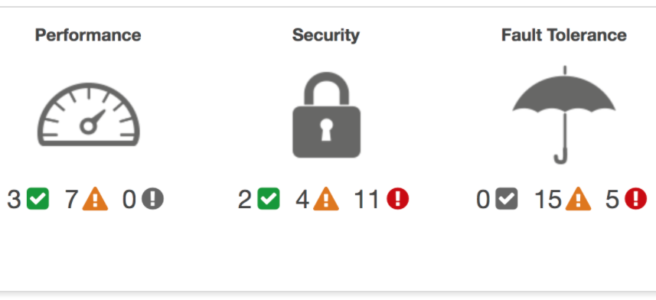
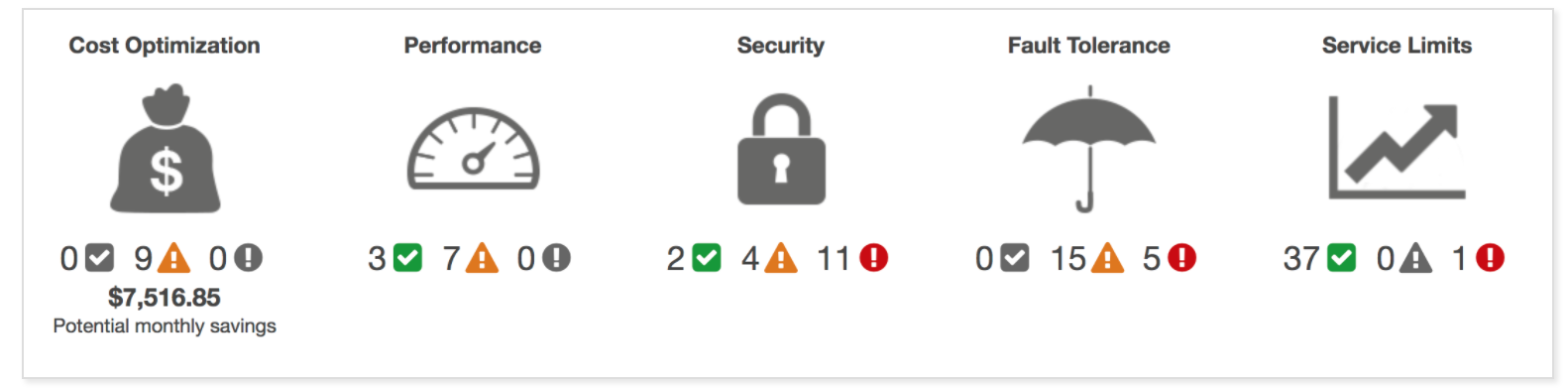
- Trusted Advisor checks the following six categories
- Cost Optimization
- Recommendations that can potentially save money by highlighting unused resources and opportunities to reduce the bill.
- Integrates with AWS Cost Optimization Hub (since May 2025) for more accurate, personalized cost savings recommendations that account for specific commercial terms (RIs, Savings Plans).
- Security
- Identification of security settings and gaps, inline with best practices, that could make the AWS solution less secure.
- Integrates with AWS Security Hub CSPM (Cloud Security Posture Management) controls for comprehensive security findings.
- Resilience (previously known as Fault Tolerance)
- Recommendations that help increase the resiliency and availability of the AWS solution by highlighting redundancy shortfalls, current service limits, and over-utilized resources.
- Integrates with AWS Resilience Hub for application resiliency assessments.
- Performance
- Recommendations that can help improve the speed and responsiveness of applications.
- Includes checks from AWS Compute Optimizer for right-sizing recommendations.
- Operational Excellence (Added Oct 2023)
- Checks that help apply AWS best practices to operate the AWS environment effectively and at scale.
- Supports the AWS Well-Architected Framework Review, accelerating alignment with best practices.
- Powered by AWS Config managed rules for continuous evaluation.
- Service Limits
- Checks for service usage that is more than 80% of the service limit.
- Values are based on a snapshot, so the current usage might differ.
- Limit and usage data can take up to 24 hours to reflect any changes.
- Cost Optimization
- Trusted Advisor currently offers 482 total checks across 56 AWS services.
- 56 checks are available to all AWS account plans (Basic and above).
- 482 checks (full set) are available with Business Support+ and above.
AWS Support Plan Access
⚠️ AWS Support Plan Restructuring (Effective Jan 1, 2027)
AWS has announced a simplified support portfolio (Dec 2025). The following plans are being discontinued on January 1, 2027:
- Developer Support — Discontinued Jan 1, 2027
- Business Support — Discontinued Jan 1, 2027
- Enterprise On-Ramp — Customers auto-upgraded to Enterprise Support throughout 2026
New support plans: Basic, Business Support+, Enterprise Support, and Unified Operations.
- AWS Basic support plan provides access to:
- All checks in the Service Limits category
- Selected checks in the Security and Resilience (Fault Tolerance) categories
- Manual refresh only (no automatic check updates)
- AWS Business Support+ (replacing Developer and Business plans) includes:
- Full set of 482 checks across all categories
- AWS Support API provides programmatic access to manage Support cases and Trusted Advisor check requests
- Automatic weekly refresh of checks
- Amazon EventBridge integration for automated monitoring and remediation
- Starts at $29/month minimum per account
- AWS Enterprise Support and Unified Operations plans additionally include:
- Trusted Advisor Priority — provides prioritized and context-driven recommendations from your AWS account team as well as machine-generated checks
- Enterprise Support minimum reduced from $15,000 to $5,000
- Unified Operations offers 5-minute response times for mission-critical workloads
Trusted Advisor Key Features
AWS Config Integration
- Trusted Advisor integrates with AWS Config managed rules to deliver best practice checks.
- 64 checks powered by AWS Config were added in October 2023, including the new Operational Excellence category.
- Provides continuous evaluation of resource configurations against desired settings.
- Requires AWS Config to be enabled in the account.
AWS Security Hub Integration
- Security Hub CSPM (Cloud Security Posture Management) controls automatically appear as checks in Trusted Advisor.
- Requires the Foundational Security Best Practices security standard to be enabled in Security Hub.
- Requires Business Support+ or higher plan.
- Provides a consolidated view of security findings across both services.
Cost Optimization Hub Integration
- 16 new cost optimization checks integrated from AWS Cost Optimization Hub (May 2025).
- Legacy cost optimization checks (e.g., Low Utilization EC2, Underutilized EBS) were deprecated September 2025.
- New checks provide more accurate savings estimates accounting for specific commercial terms (RIs, Savings Plans).
- Provides actionable recommendations including right-sizing, Graviton migration, and idle resource detection.
- Requires opt-in to Cost Optimization Hub and AWS Compute Optimizer (both free).
Amazon EventBridge Integration
- Trusted Advisor emits events to Amazon EventBridge when check status changes (WARN or ERROR).
- Enables automated remediation workflows using EventBridge rules + Lambda functions.
- Can schedule automatic check refreshes using EventBridge Scheduler.
- Requires Business Support+ or higher plan.
Organizational View
- Allows viewing Trusted Advisor checks for all accounts in AWS Organizations.
- Generate consolidated reports with detailed check results across multiple accounts.
- View high-level summary of check status within the console.
- Helps optimize security posture, performance, and cost efficiency across multi-account environments.
Trusted Advisor Priority
- Available to Enterprise Support and Unified Operations customers only.
- Provides prioritized and context-driven recommendations from the AWS account team.
- Combines machine-generated checks with human expertise.
- Helps focus on the most important recommendations for cloud optimization, resilience, and security.
- Integrates with operational workflows for actionable guidance.
AWS Support API
- API provides two different groups of operations:
- Support case management operations to manage the entire life cycle of AWS support cases, from creating a case to resolving it, and includes
- Open a support case
- Get a list and detailed information about recent support cases
- Filter your search for support cases by dates and case identifiers, including resolved cases
- Add communications and file attachments to cases, and add the email recipients for case correspondence
- Resolve cases
- AWS Trusted Advisor operations to access checks
- Get the names and identifiers for the checks
- Request that a check be run against the AWS account and resources
- Get summaries and detailed information for check results
- Refresh the checks
- Get the status of each check
- Support case management operations to manage the entire life cycle of AWS support cases, from creating a case to resolving it, and includes
- Requires Business Support+ or higher plan (previously Business/Enterprise On-Ramp/Enterprise).
- Must use US East (N. Virginia) endpoint for Trusted Advisor API operations.
AWS Certification Exam Practice Questions
- Questions are collected from Internet and the answers are marked as per my knowledge and understanding (which might differ with yours).
- AWS services are updated everyday and both the answers and questions might be outdated soon, so research accordingly.
- AWS exam questions are not updated to keep up the pace with AWS updates, so even if the underlying feature has changed the question might not be updated
- Open to further feedback, discussion and correction.
- The Trusted Advisor service provides insight regarding which categories of an AWS account?
- Security, fault tolerance, high availability, and connectivity
- Security, access control, high availability, and performance
- Performance, cost optimization, security, and fault tolerance (Note – Trusted Advisor now has 6 categories: Cost Optimization, Security, Resilience, Performance, Operational Excellence, and Service Limits)
- Performance, cost optimization, access control, and connectivity
- Which of the following are categories of AWS Trusted Advisor? (Select TWO.)
- Loose Coupling
- Disaster recovery
- Infrastructure as a Code
- Security
- Service limits
- Which AWS tool will identify security groups that grant unrestricted Internet access to a limited list of ports?
- AWS Organizations
- AWS Trusted Advisor
- AWS Usage Report
- Amazon EC2 dashboard
- A company wants to receive recommendations to optimize their AWS environment for cost, performance, security, and resilience. Which AWS service provides these recommendations?
- AWS Config
- AWS Security Hub
- AWS Trusted Advisor
- AWS Well-Architected Tool
- Which AWS Trusted Advisor category was added in October 2023, bringing the total to six categories?
- Governance
- Compliance
- Operational Excellence
- Sustainability
- A company wants to automate remediation when AWS Trusted Advisor identifies a security issue. Which AWS service integration should they use?
- AWS CloudTrail
- Amazon EventBridge
- Amazon CloudWatch Alarms
- AWS Systems Manager
- Which AWS Trusted Advisor feature provides prioritized recommendations from your AWS account team and is available only to Enterprise Support and Unified Operations customers?
- Trusted Advisor Organizational View
- Trusted Advisor Priority
- Trusted Advisor Notifications
- Trusted Advisor API
- A company needs to view Trusted Advisor recommendations for all accounts in their AWS Organization. Which feature should they use?
- Trusted Advisor Priority
- AWS Config Aggregator
- Trusted Advisor Organizational View
- AWS Security Hub cross-account